MetaGPT: The Multi-Agent Framework

[ En | 中 | Fr | 日 ] Assign different roles to GPTs to form a collaborative entity for complex tasks.



News
🚀 Mar. 10, 2025: 🎉 mgx.dev is the #1 Product of the Week on @ProductHunt! 🏆
🚀 Mar. 4, 2025: 🎉 mgx.dev is the #1 Product of the Day on @ProductHunt! 🏆
🚀 Feb. 19, 2025: Today we are officially launching our natural language programming product: MGX (MetaGPT X) - the world's first AI agent development team. More details on Twitter.
🚀 Feb. 17, 2025: We introduced two papers: SPO and AOT, check the code!
🚀 Jan. 22, 2025: Our paper AFlow: Automating Agentic Workflow Generation accepted for oral presentation (top 1.8%) at ICLR 2025, ranking #2 in the LLM-based Agent category.
👉👉 Earlier news
Software Company as Multi-Agent System
- MetaGPT takes a one line requirement as input and outputs user stories / competitive analysis / requirements / data structures / APIs / documents, etc.
- Internally, MetaGPT includes product managers / architects / project managers / engineers. It provides the entire process of a software company along with carefully orchestrated SOPs.
Code = SOP(Team)is the core philosophy. We materialize SOP and apply it to teams composed of LLMs.
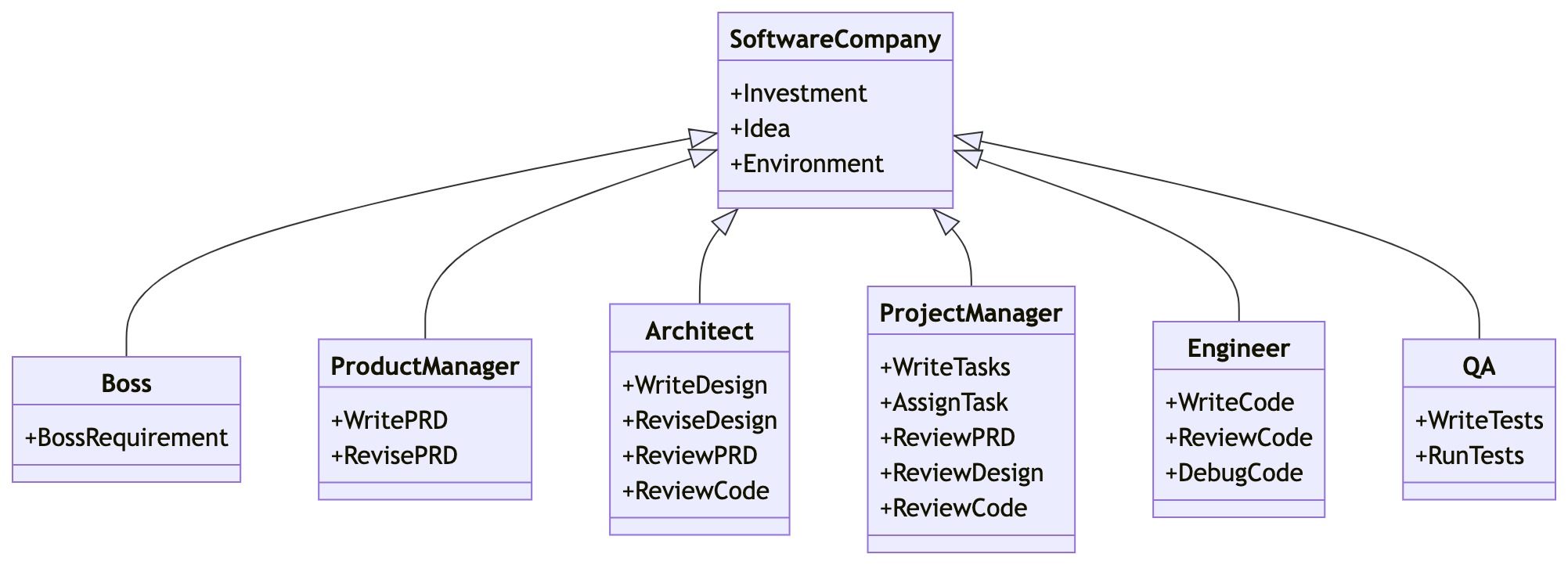
Software Company Multi-Agent Schematic (Gradually Implementing)
Get Started
Installation
Ensure that Python 3.9 or later, but less than 3.12, is installed on your system. You can check this by using:
python --version.
You can use conda like this:conda create -n metagpt python=3.9 && conda activate metagpt
pip install --upgrade metagpt
# or `pip install --upgrade git+https://github.com/geekan/MetaGPT.git`
# or `git clone https://github.com/geekan/MetaGPT && cd MetaGPT && pip install --upgrade -e .`
Install node and pnpm before actual use.
For detailed installation guidance, please refer to cli_install or docker_install
Configuration
You can init the config of MetaGPT by running the following command, or manually create ~/.metagpt/config2.yaml file:
# Check https://docs.deepwisdom.ai/main/en/guide/get_started/configuration.html for more details
metagpt --init-config  # it will create ~/.metagpt/config2.yaml, just modify it to your needs
You can configure ~/.metagpt/config2.yaml according to the example and doc:
llm:
  api_type: "op