Skill Recorder
Record yourself doing a task once, then turn it into a skill your AI agent can repeat.
Skill Recorder captures a real work session on your screen: the clicks, the app and window switches, the pages you visit, and (if you want) your spoken narration. It then uses the GitHub Copilot CLI to reconstruct what you actually did as a clear intent plus an ordered list of steps. From there, one step turns that single run into something an agent can reuse:
- a Skill: a
SKILL.mdprocedure an agent runs on demand, or - an Automation: the same procedure on a schedule or trigger.
Both prefer the agent's native tools (like the gh CLI or web_fetch) over replaying
UI clicks, and generalize from your one example, so recording yourself submitting one
form can teach the agent to submit all of them.
How it works
- 🔴 Record. Hit record (or
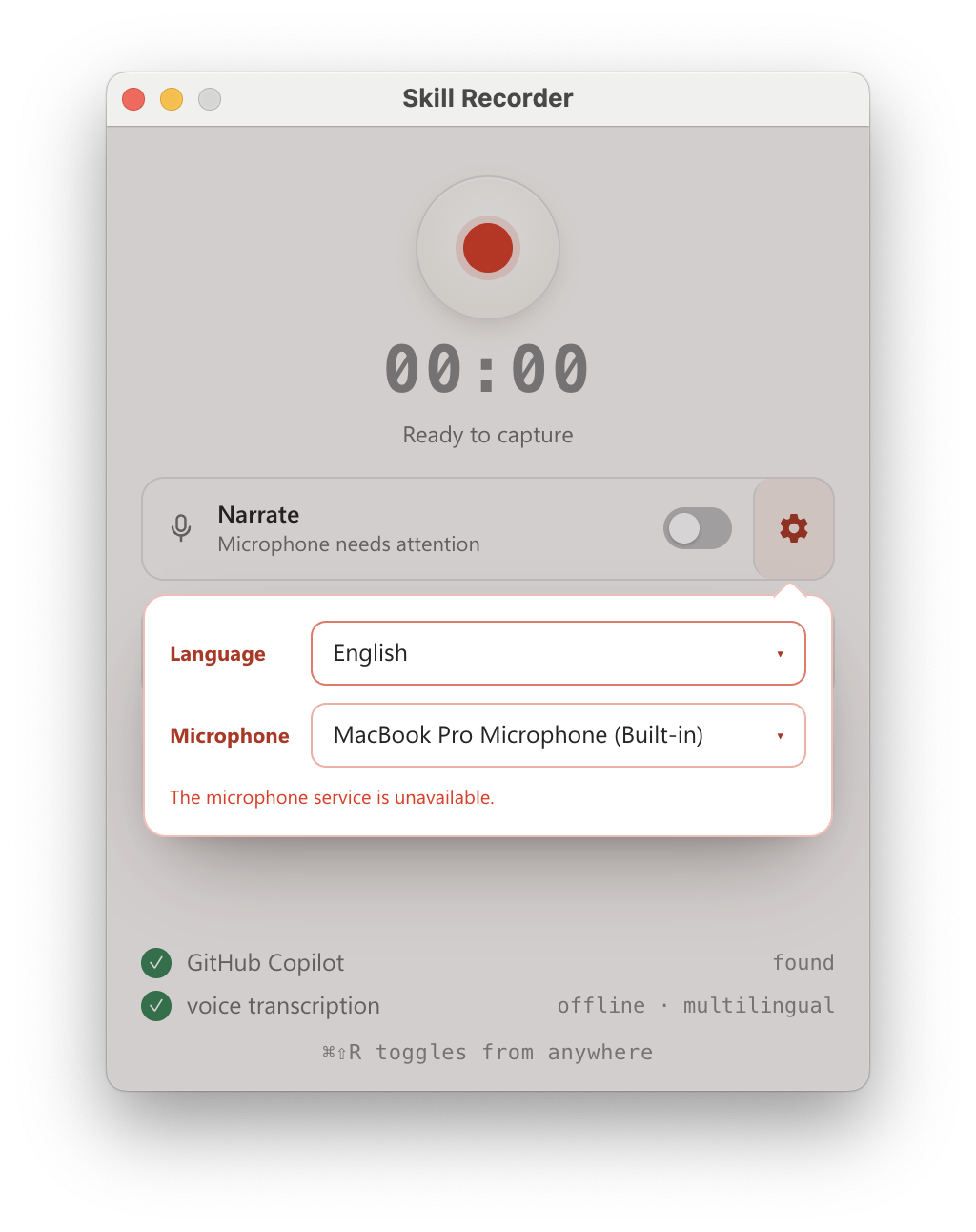
⌘⇧R/Ctrl+Shift+Rfrom anywhere) and just do your task. Skill Recorder captures your screen and activity locally, in the background. - 🎛️ Control. While recording, a small always-on-top bar shows capture and microphone state. Mute, unmute, or switch mics on the fly, then finish, or discard (with a confirmation) if the take didn't go to plan.
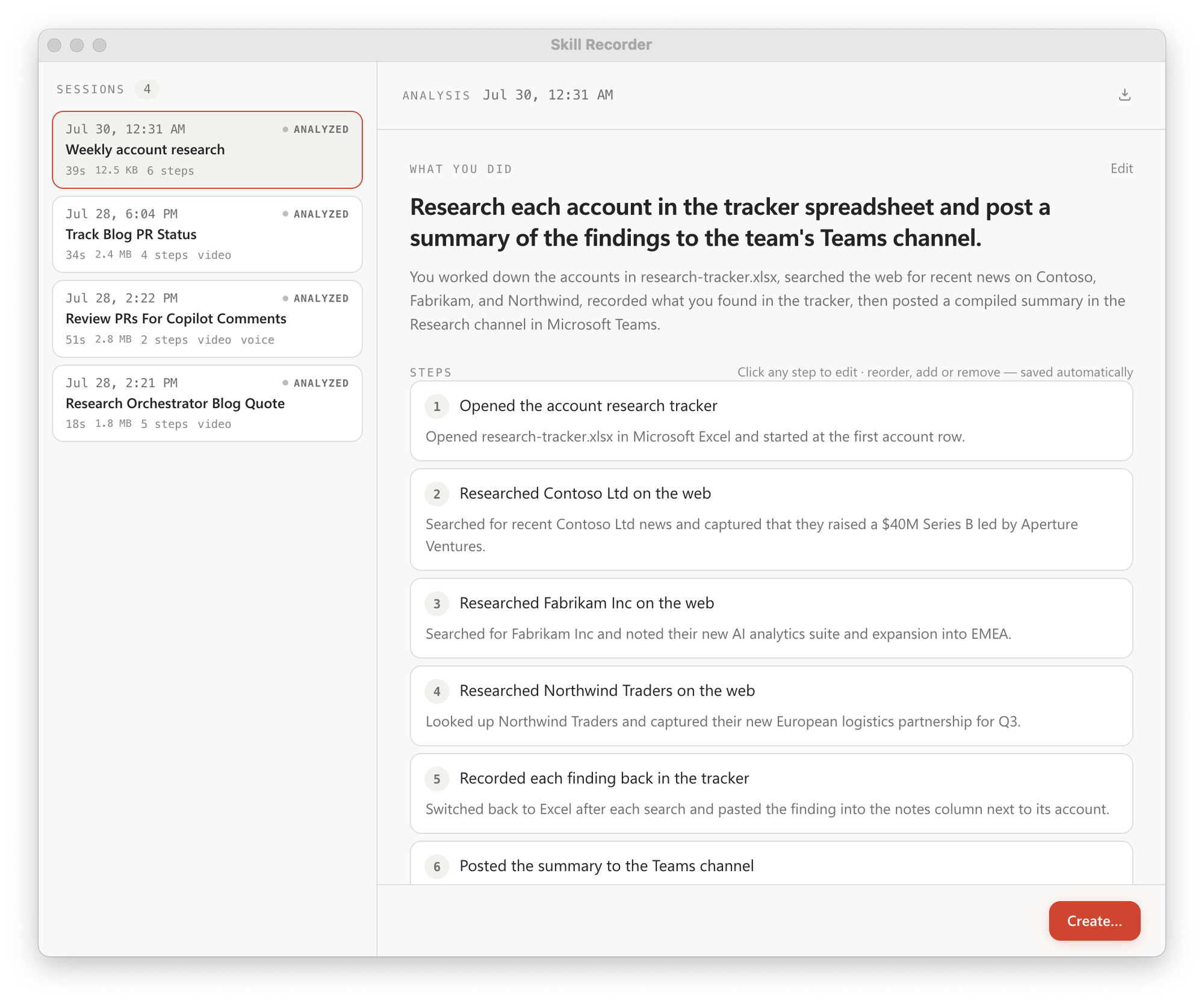
- 🧠 Analyze. Click Analyze and GitHub Copilot reconstructs one overall intent and an ordered list of steps. Review and edit until it reads right.
- ✨ Create. From an approved analysis, generate a reusable Skill and/or a scheduled Automation.
Get started
Skill Recorder is published as a source release: one command downloads a pinned Node.js runtime, builds the exact release commit on your machine, and adds a Skill Recorder (Source) app you can relaunch anytime. Nothing is installed globally. You'll need a GitHub account with Copilot access; the Copilot CLI ships with the app.
macOS is the primary target. Windows 11 (x64 and ARM64) is supported too (see
WINDOWS-VALIDATION.md).
Install it
Open the latest release and
copy the command for your platform. Each release pins an exact commit, so the real command looks
like the patterns below with <40-character-release-commit> filled in.
macOS / Ubuntu
commit="<40-character-release-commit>"; curl -fsSL "https://raw.githubusercontent.com/microsoft/skill-recorder/$commit/install.sh" | SKILL_RECORDER_COMMIT="$commit" bash
The commit pins both the downloaded script and the source it builds. To keep the app running
after the terminal closes, add SKILL_RECORDER_DETACHED=1 after the pipe:
commit="<40-character-release-commit>"; curl -fsSL "https://raw.githubusercontent.com/microsoft/skill-recorder/$commit/install.sh" | SKILL_RECORDER_COMMIT="$commit" SKILL_RECORDER_DETACHED=1 bash
On macOS this adds a Skill Recorder (Source) app to ~/Applications (relaunch from Spotlight,
Launchpad, or the Dock). On Ubuntu it adds a matching application entry.
Windows (PowerShell)
$commit="<40-character-release-commit>"; $env:SKILL_RECORDER_COMMIT=$commit; irm "https://raw.githubusercontent.com/microsoft/skill-recorder/$commit/install.ps1" | iex
This adds Skill Recorder (Source) shortcuts to your desktop and Start Menu.
Then record
- Grant Screen Recording. On first launch, macOS asks for Screen Recording permission; grant it and you're ready to record.
- Record, Analyze, Create. Do your task, then Analyze. The first time you Analyze, S