





PM Skills Marketplace: The AI Operating System for Better Product Decisions
68 PM skills and 42 chained workflows across 9 plugins. Claude Code, Cowork, and more. From discovery to strategy, execution, launch, growth, and shipping AI-built code.
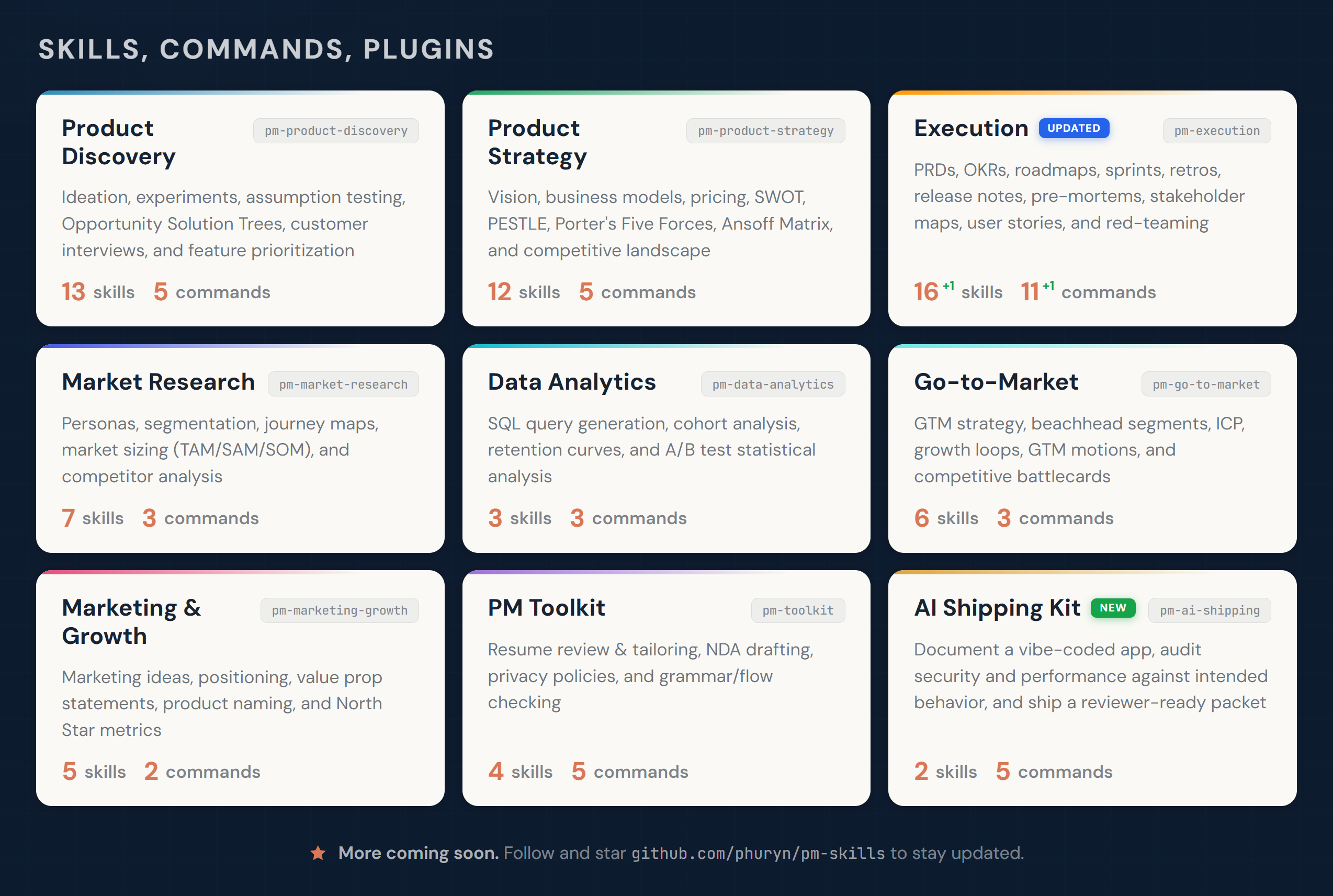
Designed for Claude Code and Cowork. Skills compatible with other AI assistants.
Start Here
New idea? → /discover
Need strategic clarity? → /strategy
Writing a PRD? → /write-prd
Planning a launch? → /plan-launch
Defining metrics? → /north-star
If this project helps you, ⭐ the repo.
Why PM Skills Marketplace?
Generic AI gives you text. PM Skills Marketplace gives you structure.
Each skill encodes a proven PM framework — discovery, assumption mapping, prioritization, strategy — and walks you through it step by step. You get the rigor of Teresa Torres, Marty Cagan, and Alberto Savoia built into your daily workflow, not sitting on a bookshelf.
The result: better product decisions, not just faster documents.
How It Works (Skills, Commands, Plugins)
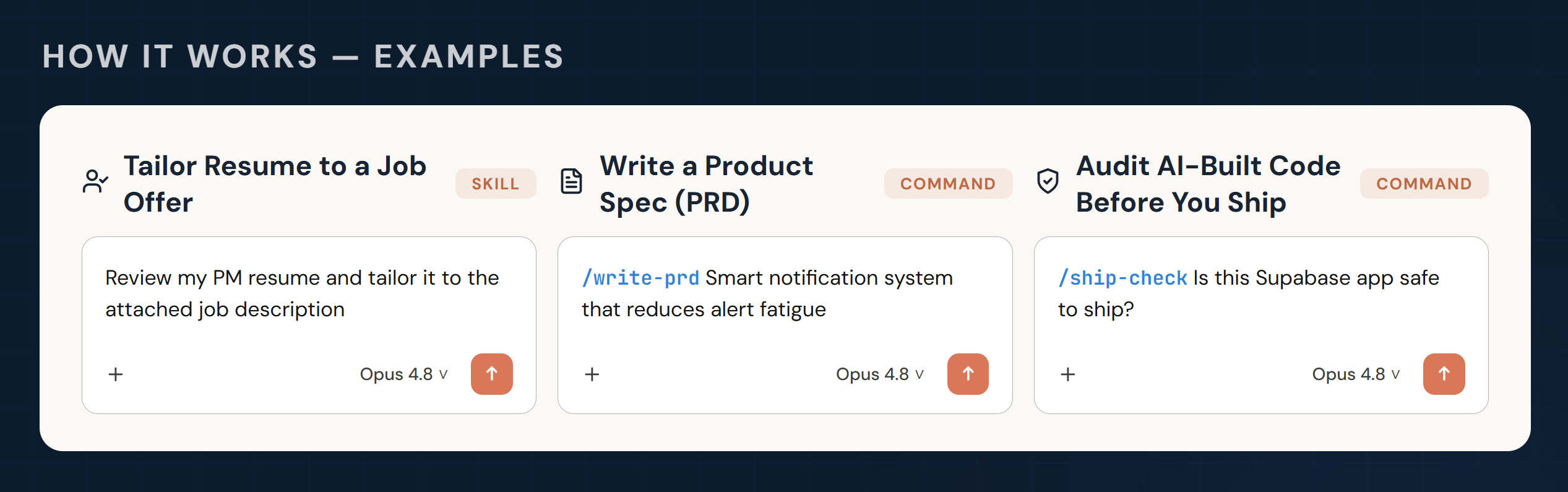
Skills are the building blocks of the marketplace. Each skill gives Claude domain knowledge, analytical frameworks, or a guided workflow for a specific PM task. Some skills also work as reusable foundations that multiple commands share.
Skills are loaded automatically when relevant to the conversation — no explicit invocation needed. If needed (e.g., prioritizing skills over general knowledge), you can force loading skills with /plugin-name:skill-name or /skill-name (Claude will add the prefix).
Commands are user-triggered workflows invoked with /command-name. They chain one or more skills into an end-to-end process. For example, /discover chains four skills together: brainstorm-ideas → identify-assumptions → prioritize-assumptions → brainstorm-experiments.
Plugins group related skills and commands into installable packages. Each plugin covers a PM domain — discovery, strategy, execution, and so on. Installing the marketplace gives you all 9 plugins at once.
Commands use skills. Some skills serve multiple commands. Some skills (like prioritization-frameworks or opportunity-solution-tree) are standalone references that Claude draws on whenever relevant — no command needed.
Commands are designed to flow into each other, matching the PM workflow. After any command completes, it suggests relevant next commands — just follow the prompts.
Installation
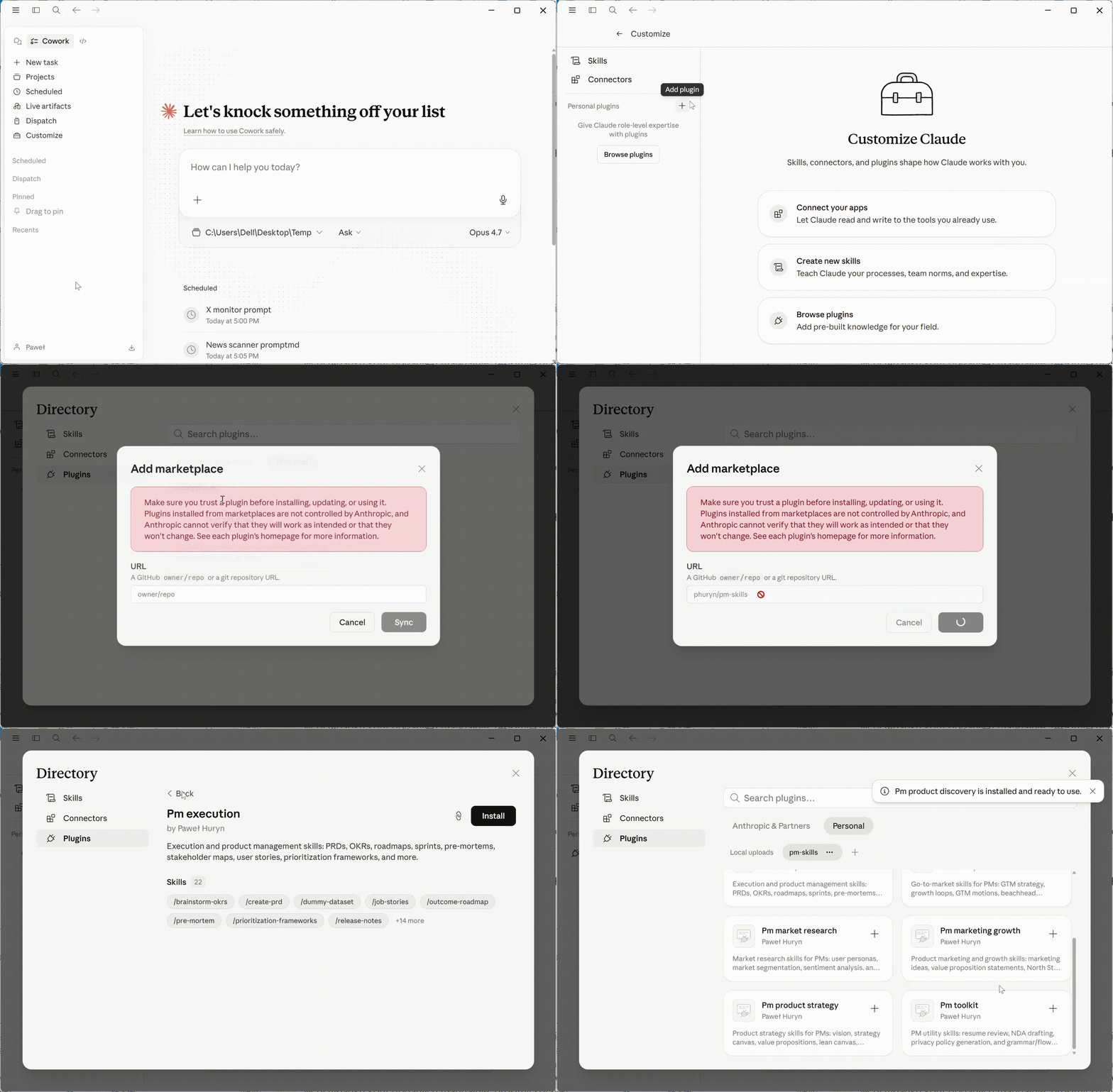
Claude Cowork (recommended for non-developers)
- Open Customize (bottom-left)
- Go to Browse plugins → Personal → +
- Select Add marketplace from GitHub
- Enter:
phuryn/pm-skills
All 9 plugins install automatically. You get both commands (/discover, /strategy, etc.) and skills.
Claude Code (CLI)
# Step 1: Add the marketplace
claude plug