CodeNomad
The AI Coding Cockpit for OpenCode
CodeNomad transforms OpenCode from a terminal tool into a premium desktop workspace — built for developers who live inside AI coding sessions for hours and need control, speed, and clarity.
OpenCode gives you the engine. CodeNomad gives you the cockpit.
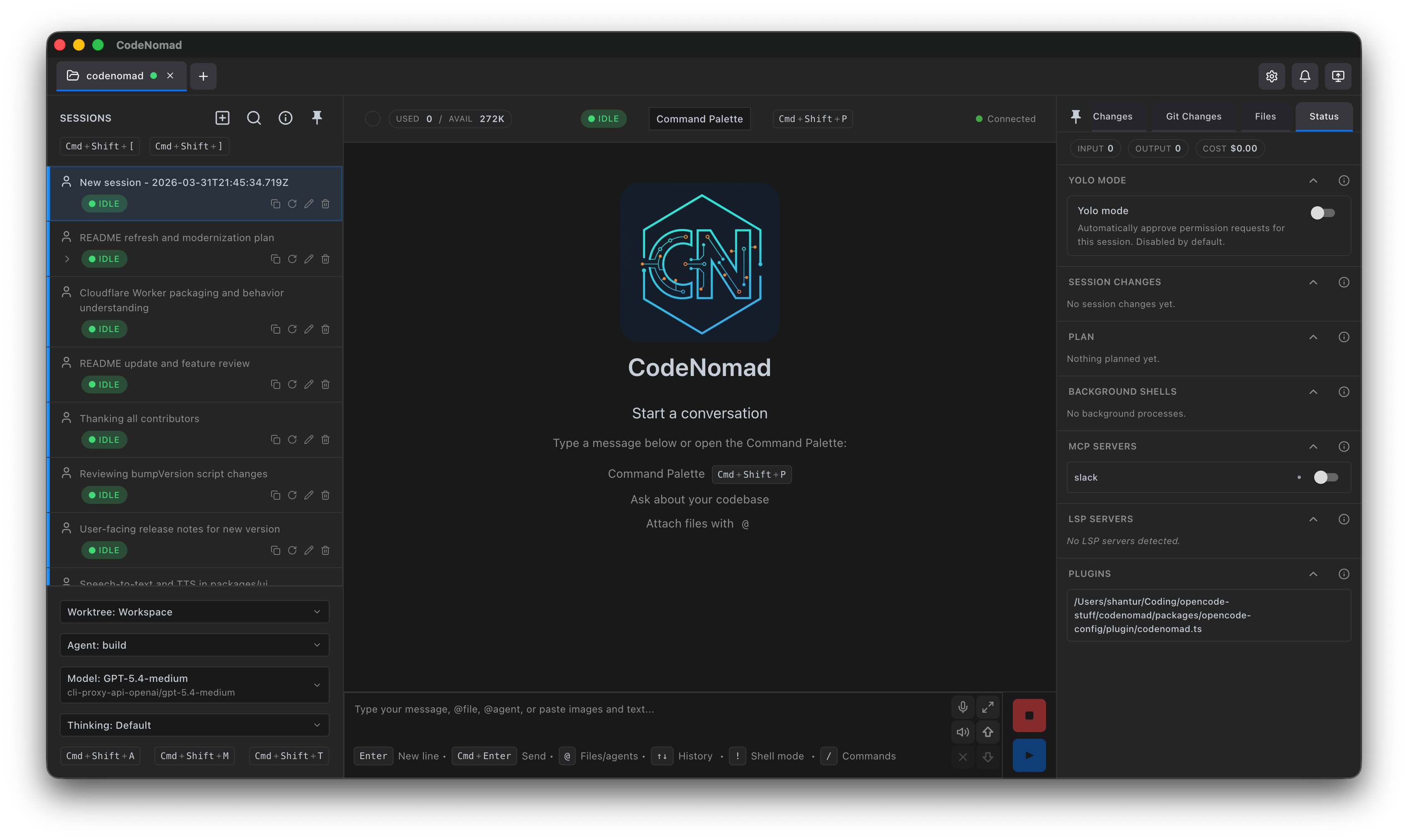
Features
- 🚀 Multi-Instance Workspace
- 🌐 Remote Access
- 🧠 Session Management
- 🎙️ Voice Input & Speech
- 🌳 Git Worktrees
- 💬 Rich Message Experience
- 🧩 SideCars
- ⌨️ Command Palette
- 📁 File System Browser
- 🔐 Authentication & Security
- 🔔 Notifications
- 🎨 Theming
- 🌍 Internationalization
Getting Started
🖥️ Desktop App
Available as both Electron and Tauri builds — choose based on your preference.
Download the latest installer for your platform from Releases.
| Platform | Formats |
|---|---|
| macOS | DMG, ZIP (Universal: Intel + Apple Silicon) |
| Windows | NSIS Installer, ZIP (x64, ARM64) |
| Linux | Tauri deb, Electron portable tar.gz (x64) |
The Tauri deb is currently built and installation-tested on Ubuntu 24.04. Compatibility with older Debian-based distributions is not yet guaranteed.
💻 CodeNomad Server
Run as a local server and access via browser. Perfect for remote development.
npx @neuralnomads/codenomad --password <your-password> --launch
Authentication required: The server requires a password on first run. You can pass it via
--password, theCODENOMAD_SERVER_PASSWORDenvironment variable, or create anauth.jsonfile (see Server Documentation).
Self-signed certificate: On first launch with HTTPS enabled (the default), your browser will show a "Your connection is not private" warning. This is expected — the server generates a local self-signed certificate automatically. Click Advanced → Proceed to localhost to continue. For local-only use without the warning, run with
--https=false --http=true.
See Server Documentation for flags, TLS, auth, and remote access.
🧪 Dev Releases
Bleeding-edge builds from the dev branch:
npx @neuralnomads/codenomad-dev --password <your-password> --launch
SideCars
SideCars let you open local web tools inside CodeNomad as tabs.
Configuration
- Name: Display name used in CodeNomad
- Port: Local HTTP or HTTPS service running on
127.0.0.1:<port> - Base path: Mounted under
/sidecars/:id - Prefix mode:
- Preserve prefix forwards the full
/sidecars/:id/...path upstream - Strip prefix removes
/sidecars/:idbefore forwarding the request upstream
- Preserve prefix forwards the full
VSCode (OpenVSCode Server)
Run with Docker:
docker run -it --init -p 8000:3000 -v "${HOME}:${HOME}:cached" -e HOME=${HOME} gitpod/openvscode-server --server-base-path /sidecars/vscode
Add SideCar as:
- Name:
VSCode - Port:
http://127.0.0.1:8000 - Base path:
/sidecars/vscode - Prefix mode:
Preserve prefix
Terminal (ttyd)
Run with:
ttyd --writable zsh
Add SideCar as:
- Name:
Terminal - Port:
http://127.0.0.1:7681 - Base path:
/sidecars/terminal - Prefix mode:
Strip prefix
Requirements
- OpenCode CLI — must be installed and in your
PATH - Node.js 18+ — for server mode or building from source
Development
CodeNomad is a monorepo built with:
| Package | Description |
|---|---|
| packages/server | Core logic & CLI — workspaces, OpenCode proxy, API, auth, speech |
| packages/ui | SolidJS fr |