README.md2 min read

OrchestrAI


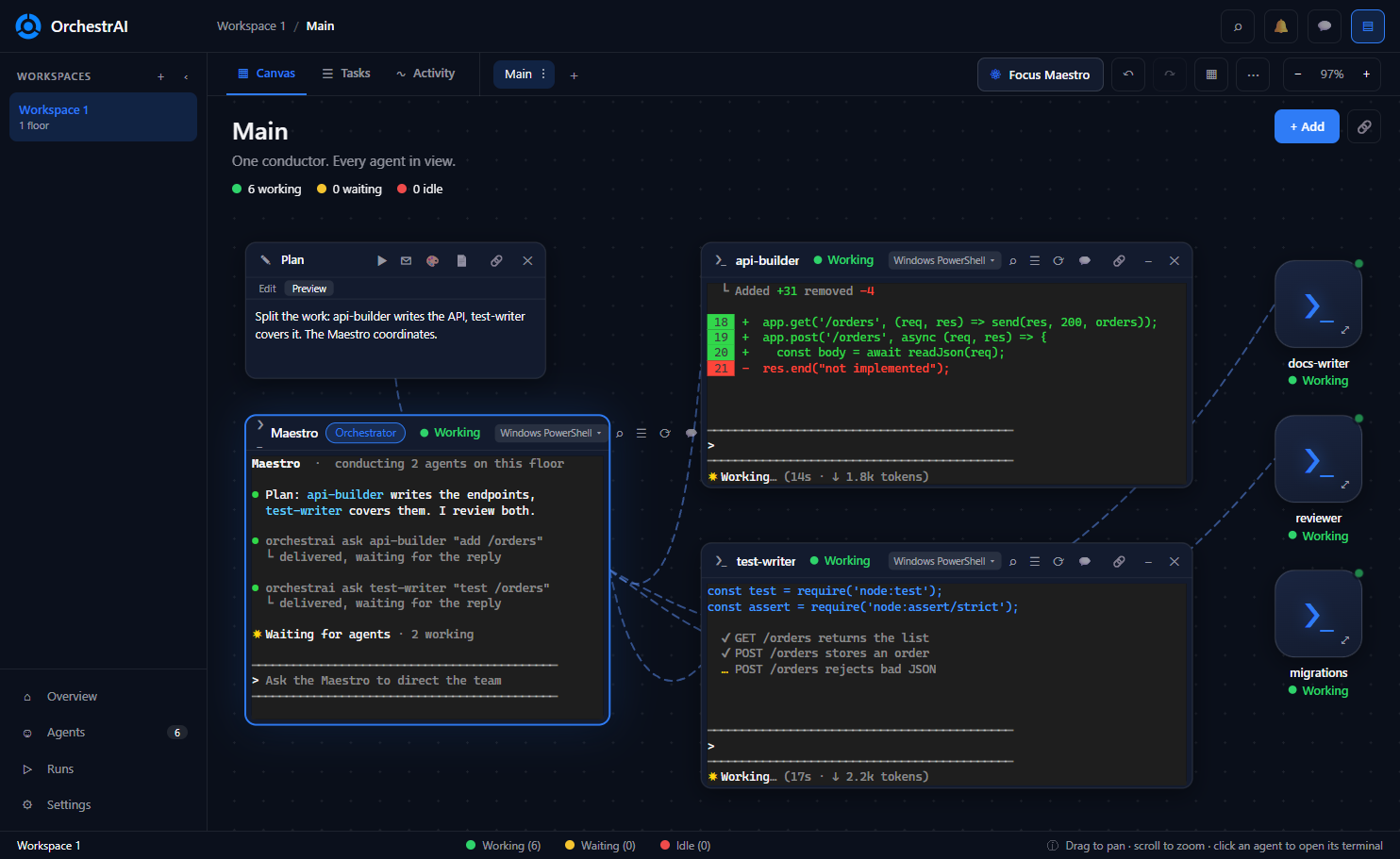
A spatial canvas for orchestrating LLMs and AI coding agents side by side. Arrange terminals, notes, git, files, browsers and Android devices on an infinite canvas, connect them with ropes, run each agent in an isolated git worktree ("floor"), and let a Maestro terminal conduct the rest. Works with Claude Code, Codex, OpenCode, Antigravity or any CLI. Built with Electron, xterm.js and node-pty.
Independent open-source project. It is not affiliated with or endorsed by any similar product.
Why OrchestrAI
- Unlimited workspaces, free. Create as many floors (separate canvases, each with its own folder, optionally an isolated git worktree) and as many terminals and nodes as your machine can handle. No workspace caps, no paid tiers, no license keys.
- Free and open source (MIT). Read it, fork it, change it. Your workspaces, notes and scrollback stay on your computer in plain JSON, with automatic backups and export/import.
- Bring your own agents. Not tied to one vendor: run Claude Code, Codex, OpenCode, Antigravity or any CLI side by side, each in a shell you configure (PowerShell, Git Bash, WSL, SSH, Docker).
- Conductor built in. A Maestro terminal can create, message and read other terminals through a local
orchestraiCLI that listens on 127.0.0.1 only. - Safe parallel work. Give each agent its own git worktree floor, review every diff, then land it with a no-fast-forward merge (or discard it).
- Know what your agents are doing. Live task manager with CPU, memory and time per terminal, plus per-provider token and limit tracking.
- Local first. No account, no telemetry, no cloud service required.
Highlights
- Infinite canvas of terminals, notes, drawings, file trees, git, chat, portal (browser) and device nodes, with ropes, tidy layout, minimap and undo/redo.
- Floors: one canvas per task, optionally an isolated git worktree and branch, with setup/landing hooks and a reviewed merge back.
- Multi-agent orchestration: a Maestro terminal can create, message and read other terminals through the
orchestraiCLI. - Agent awareness: activity monitoring, notifications, task manager with CPU/memory, and token/limit tracking per provider.
- Sessions that survive: optional
tmuxpersistence, scrollback restore, automatic backups. - Runs anywhere you work: local shells, WSL, SSH and Docker containers; themes and fonts per terminal.
- Accounts: run the same agent CLI on different subscriptions or API keys side by side; keys are encrypted with the OS keychain.
- Docker Sandboxes, an Android device node with a live H.264 stream and emulator control, and a portal with per-site storage scope, user agents and a design mode that sends element screenshots to an agent.
- Remote control from a phone or tablet over Tailscale or a tunnel: watch terminals, answer prompts, get attention alerts (threat model). Off by default.
- Yours to adjust: rebindable keyboard shortcuts, Portuguese (Brazil) and English, light/dark themes, crash recovery that keeps terminals alive, storage management and in-app updates.