linecast
Weather, tides, the sun, the moon, and maps, drawn for the terminal. The Old Farmer's Almanac meets Minitel.


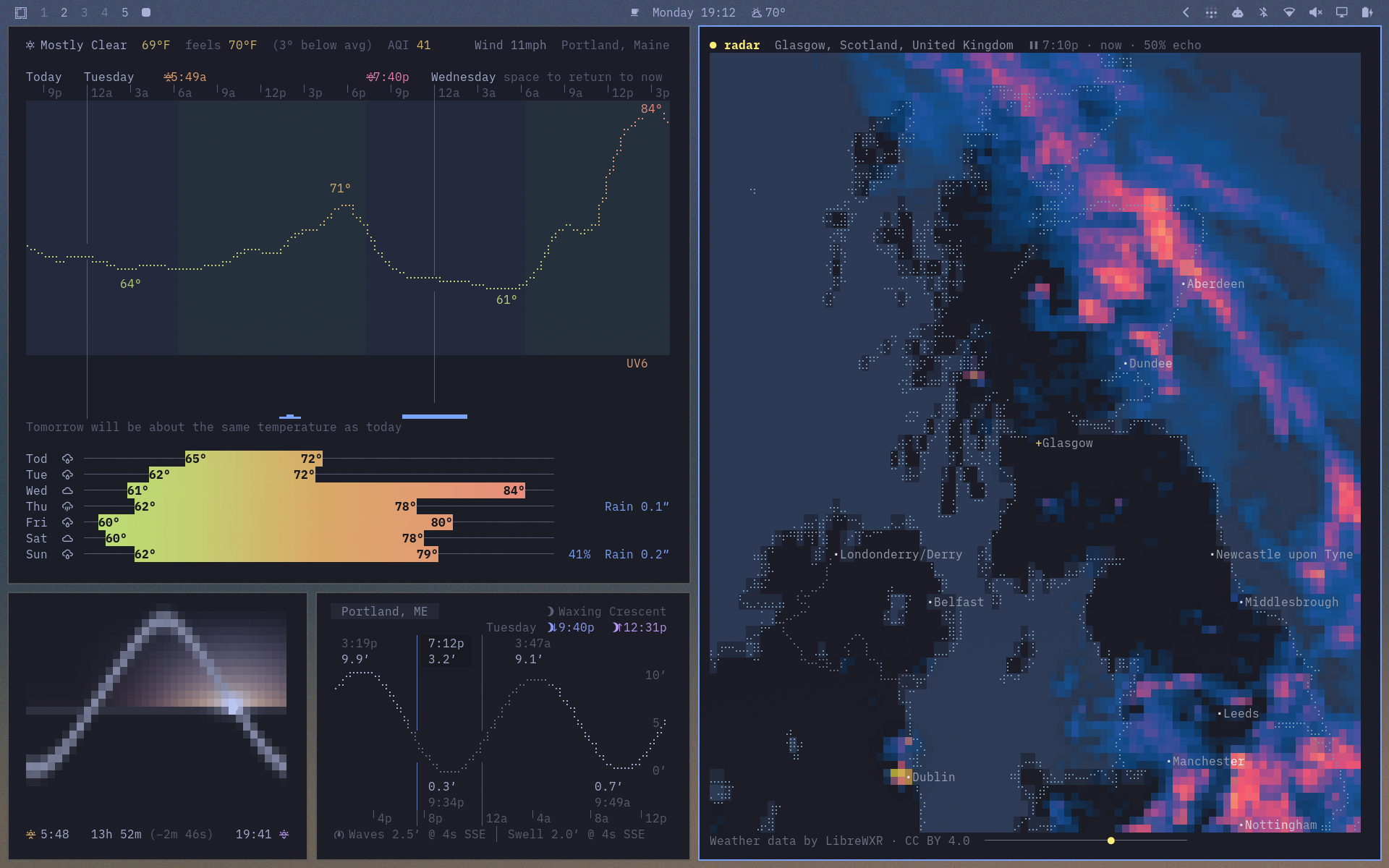
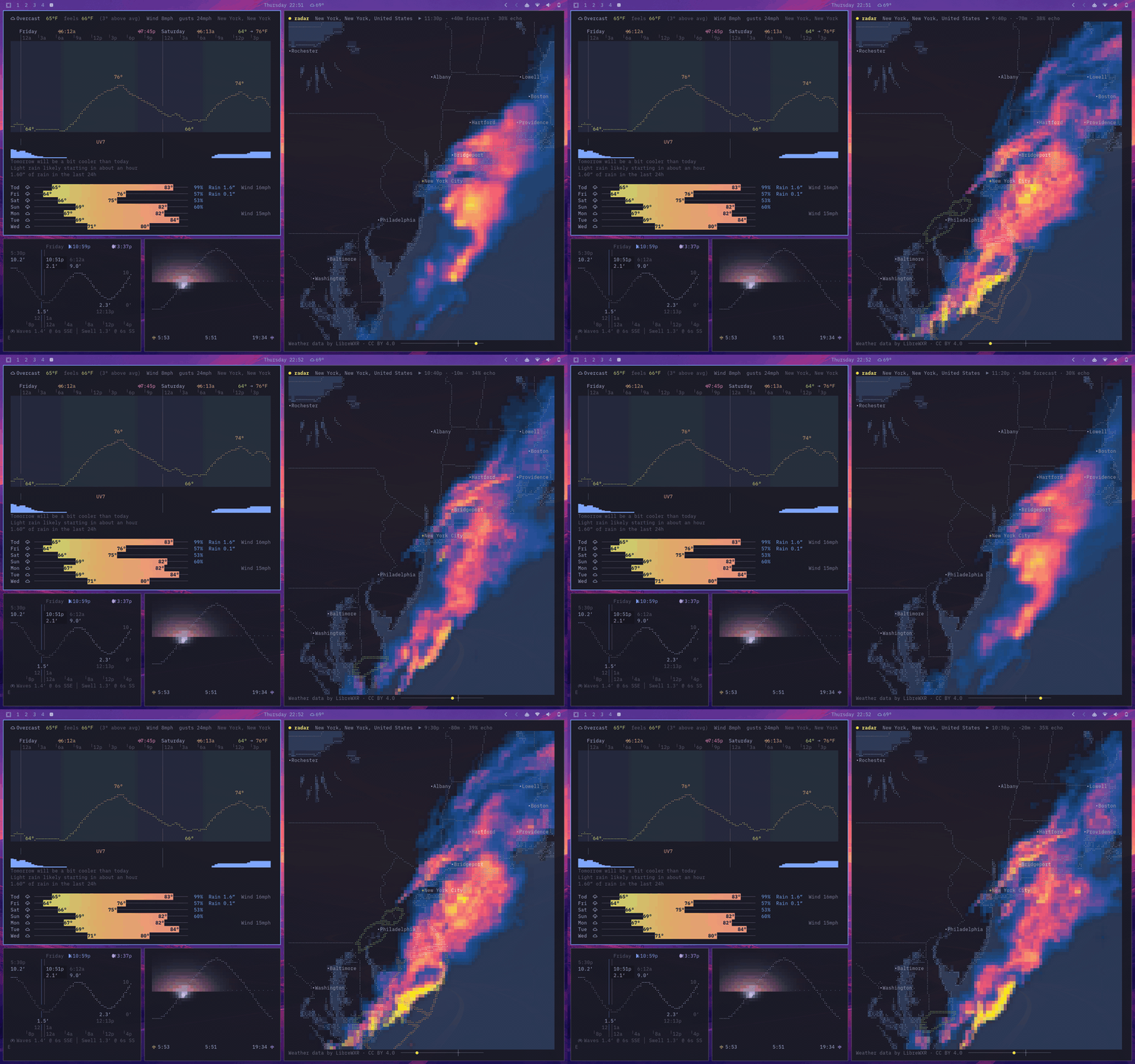
linecast turns free public data into six live, mouse-friendly terminal apps for macOS, Linux, and Windows. It is pure Python with no third-party dependencies (two on Windows), tries to match your terminal theme, and needs no accounts or API keys.
| Command | What it shows |
|---|---|
linecast weather |
Current conditions, an hourly braille temperature curve, a seven-day forecast, air quality, how today compares with a normal day, and official alerts |
linecast sunshine |
The sun on its daily arc, with the color of the sky, day length, and moon phase |
linecast moon |
The moon as seen from where you are, with illumination, altitude, rise and set times, and the next full and new moons |
linecast tides |
A tide curve shaded by daylight, the current water level, and the times of high and low tide |
linecast radar |
Animated radar or satellite imagery for the whole world, warning polygons, temperature, and wind |
linecast maps |
Street maps, terrain, and a globe you can spin, with live daylight and clouds, place search, and directions |
Install
brew install linecast
Or with uv:
uv tool install linecast
pipx install linecast and pip install linecast work too, and Arch has a community-maintained AUR package. linecast needs Python 3.10 or newer on macOS, Linux, or Windows.
To try it before installing anything:
uvx linecast weather
Or with nothing but curl — get.sh runs linecast with whatever the machine has, down to plain python3:
curl -sL https://raw.githubusercontent.com/ashuttl/linecast/main/get.sh | sh
It opens weather; name another tool with sh -s sunshine, or pass flags with sh -s -- --metric.
On Windows
Use Windows Terminal; Git Bash and mintty see a pipe rather than a terminal, so they get static output. The install adds two packages: tzdata, because Windows has no IANA time zone database, and truststore, for TLS verification through the OS certificate store. Icons default to emoji in Windows Terminal; with a Nerd Font installed and selected, linecast icons nerd switches to the full set.
Using it
Every command opens in live mode when run in a terminal, set to where your IP address says you are unless you have saved a location.
linecast weather --location "Québec"
linecast radar --location 41.88,-87.63
linecast maps --view terrain --location "Innsbruck"
linecast maps --to "Portland Head Light" --profile bike
--print gives one static frame, and piped output gets one automatically. Weather, sunshine, moon, and tides also have --json, and a short --oneline for status bars.