
An AI gateway you own and run.
Route one endpoint to 40+ providers, issue virtual keys, enforce budgets, and track usage.


Docs · otari.ai · Launch blog · Discord
English · 简体中文
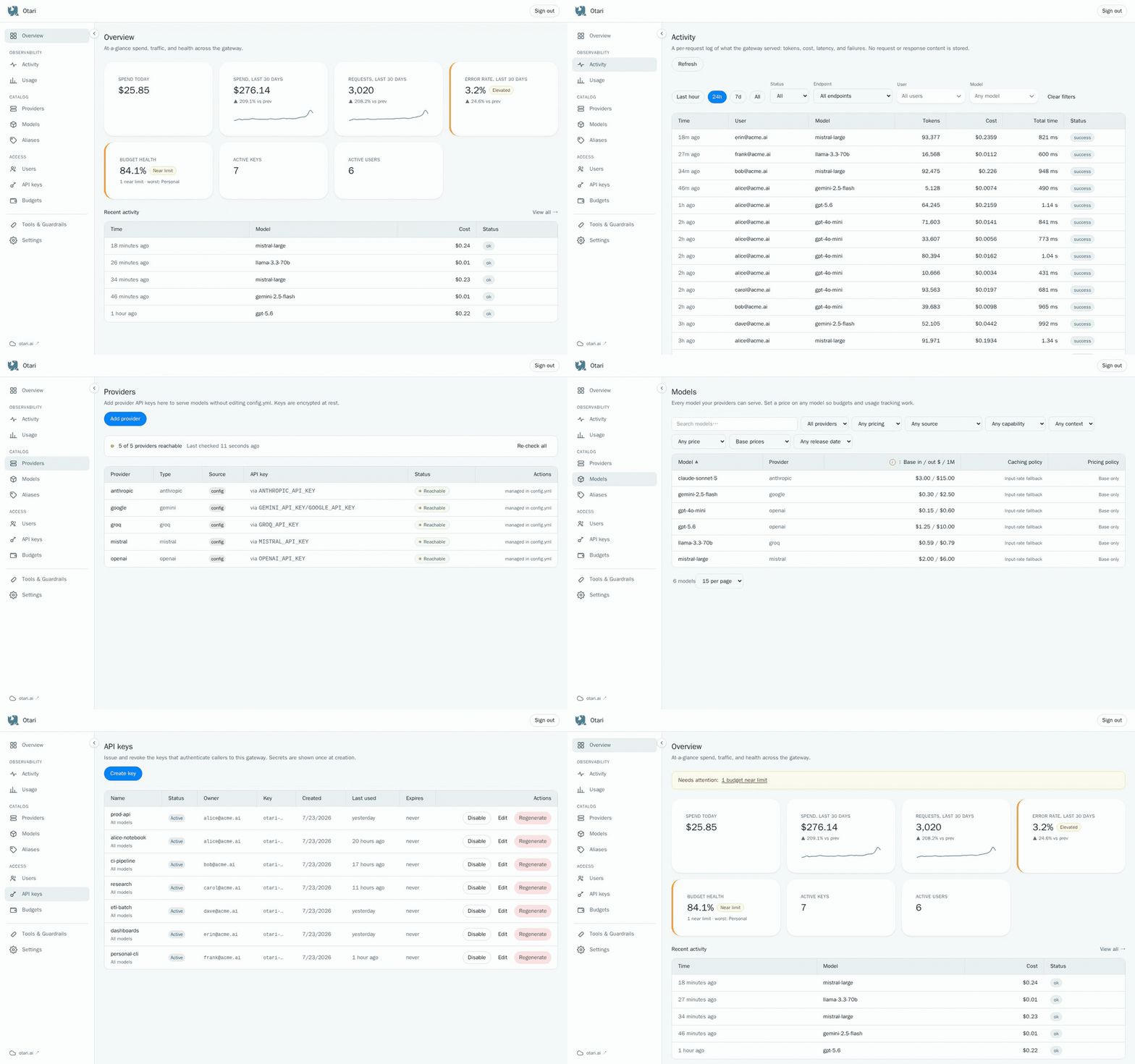
Otari sits between your applications and model providers. It authenticates requests, resolves provider credentials, enforces budgets before dispatch, and records usage afterwards. Provider calls go through any-llm.
Run Otari with your own database and provider keys.
Why Otari
- One OpenAI and Anthropic-compatible endpoint for many providers
- Provider credentials stay behind the gateway
- Revocable API keys with user, workspace, and model scope
- Budget checks before spend and usage records after settlement
- Local routing policies for failover, conditional selection, traffic splitting, and spill-over past a rate limit
- Optional code execution, web search, MCP, inference guardrails, and file understanding
Quickstart
Run Otari with Docker. It needs no configuration:
docker run -v otari:/data -p 127.0.0.1:8000:8000 mzdotai/otari:latest
On its first start, Otari prints a setup link once, and little else:
Otari 1.0.0 is running at http://localhost:8000

Open this link to choose your password and finish setup:

http://localhost:8000/setup#key=otari-mk-...

It is shown only once and carries your master key, so treat it like one.
Open it and choose the email and password you will sign in with. Then add a provider on the dashboard's Hosted providers page and enable default pricing there. The key in the link is the gateway's master key, so keep the link private.
Create an API key in the dashboard, from the setup guide on the Overview or on the API keys page, and send a request with it:
curl http://localhost:8000/api/v1/chat/completions \
  -H "Authorization: Bearer tk-..." \
  -H "Content-Type: application/json" \
  -d '{
    "model": "openai:gpt-4o-mini",
    "messages": [{"role": "user", "content": "Say hello."}]
  }'
OpenAI clients work by setting base_url to
http://localhost:8000/api/v1.
The otari volume holds the SQLite database and, beside it, the generated key
that encrypts stored provider credentials, so a new container started with the
same -v otari:/data keeps its data. Without -v, Docker gives each container
a fresh anonymous volume. Use the Compose setup below to run on PostgreSQL.
The command a developer runs next to a coding agent (otari hook,
otari import claude-code) installs on its own, without the server:
brew install mozilla-ai/tap/otari
See Agent Guardrails and Claude Code.