🌳 nanoflow
Run Claude Code tasks in parallel without losing track.
by nanosite.ai


Run many tasks at once with Claude Code, each in its own git worktree on its own ports, and see all of them at a glance: which ticket, which branch, which PR, whether CI is red, what's running, what's ready to tear down.
Install · What you get · The CLI · Config · CLI reference · Secrets
The problem
Coding agents made parallel work cheap. You start a session per task, each in its own worktree, and an hour later you have six of them. Then you're lost:
- Which terminal is working on which ticket? Which worktree is on port 5193?
- Is the PR for #712 open? Did its CI go red while you were in another session?
- Which worktrees are merged and just sitting there holding 1 GB of
node_modulesand a port? - The agent spends half its turns re-deriving the same
gh/git/curlrituals, and gets them wrong.
nanoflow keeps ticket → worktree → branch → ports → PR → CI → teardown connected, shows it live inside Claude Code, and turns every ritual into one deterministic command.
✨ What you get
A live dashboard pane
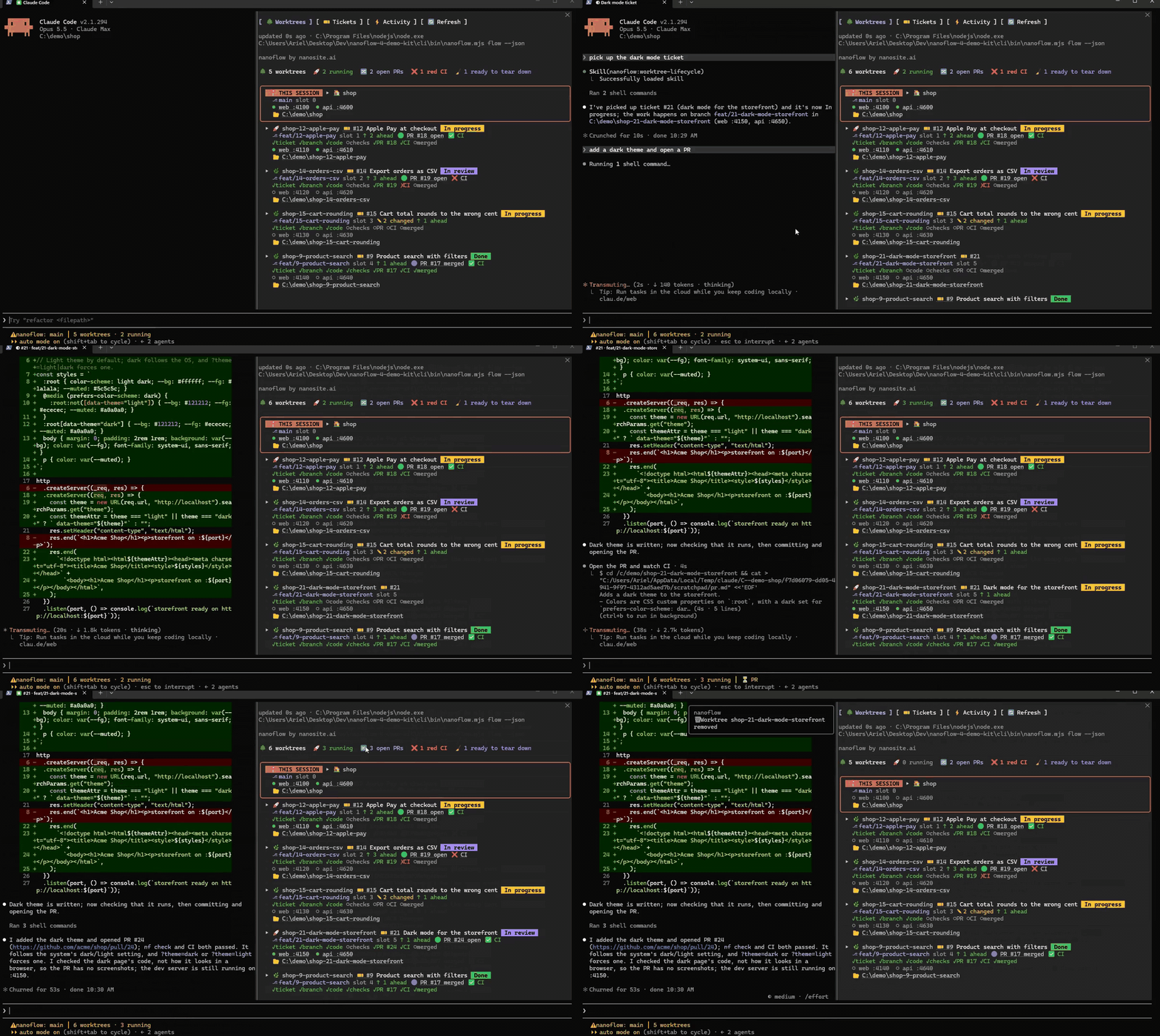
/nanoflow opens a pane next to your session:
It works in the Claude desktop app too:
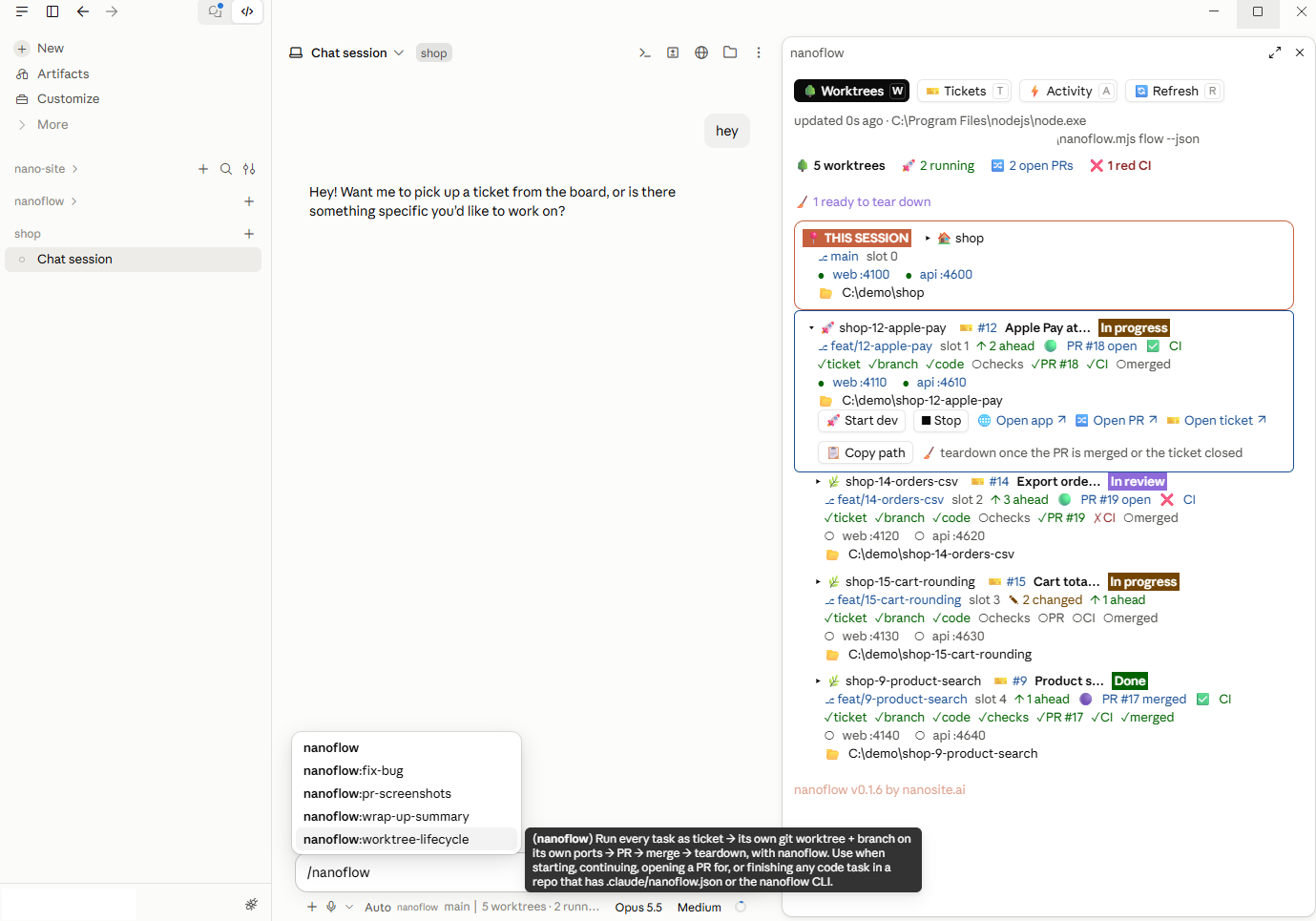
- Your session's worktree is framed and badged, so you always know where this agent is, even when the session started in the main checkout and works in a worktree from there.
- 🖥️ session on any other worktree brings up its Claude session: in Windows Terminal it switches to the tab already titled with its branch, else resumes its last session (or starts one) in a new tab. Elsewhere it copies the command that starts one.
- Everything is a link: the ticket, the PR, the failing CI run, each running service, the worktree folder.
- Select a worktree for actions: ▶ Pick up its ticket (Claude moves it to In progress and plans the work; offered until it's under way), 🚀 Start dev, ■ Stop, 🌐 Open app, 🔀 Open PR, 📋 Copy path, and 🧹 Teardown (offered once its PR is merged, or its ticket is closed or Done on the board with no PR open; it asks first). A done card shows 🧹 Teardown on its title too, and the summary line's 🧹 Tear down N done tears them all down after one question.
- 🪙 Tokens per session: each card sums the tokens its Claude sessions spent (input, output, cache read,
cache write); select it to see each session split per model, subagents included. The sum of every session,
per model, sits under the cards. Counted from the session transcripts by
nf usage --json(needs the CLI). - Tickets tab: your board's Ready / In progress / In review columns. ▶ Start a ticket (the agent runs the kickoff), jump to the worktree already on it, or create a new one.
- Activity tab: the last 50 moments, linked.