
High Quality Terminal UI for TypeScript
btop-grade dashboards with a one-import API, dark by default, zero runtime dependencies.
hqtui.com · npm · docs · discussions



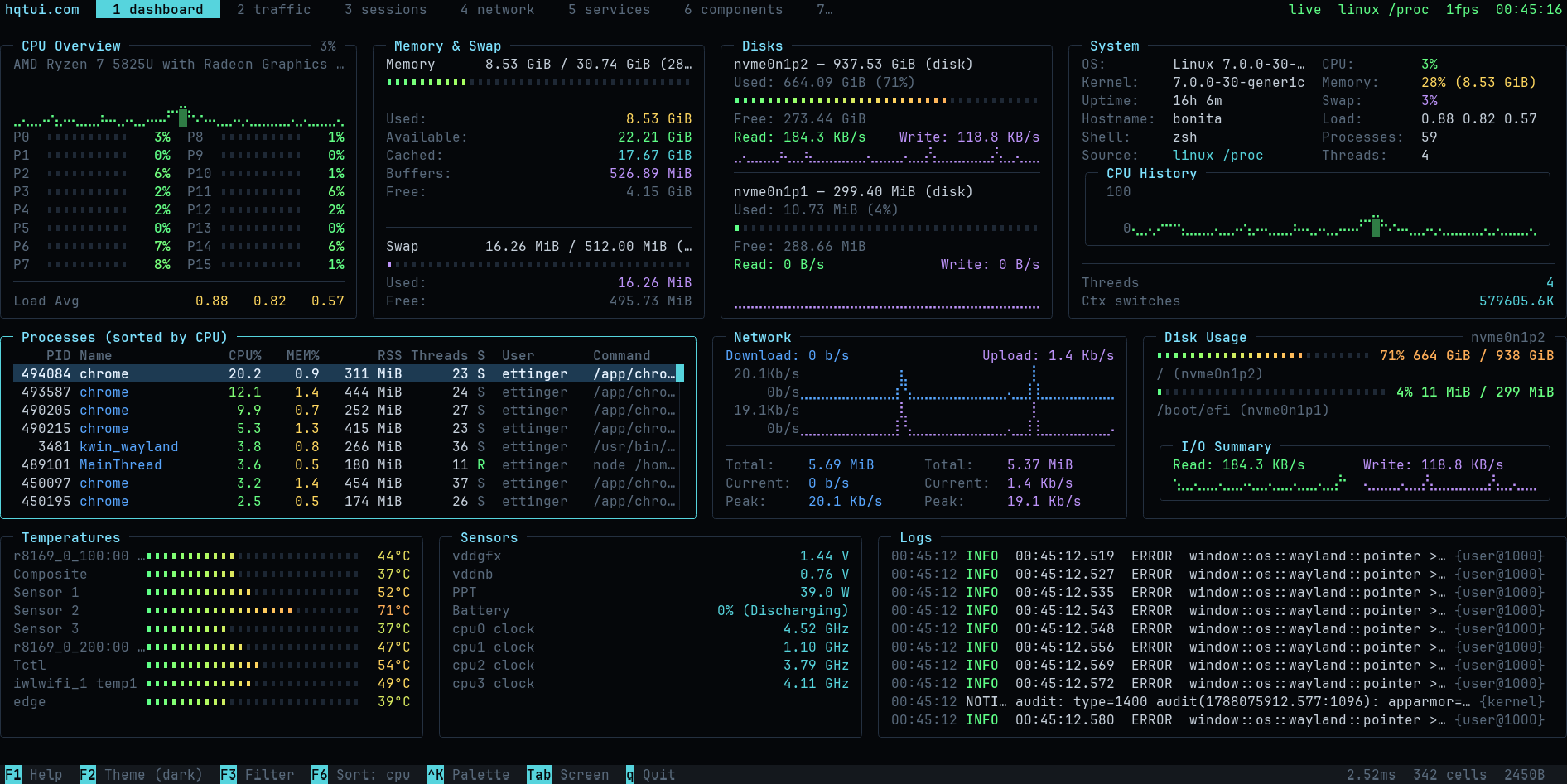
Every screenshot on this page is a real frame from hqtui-demo, captured at 2x.
Run it yourself on whichever runtime you already have:
bunx @profullstack/hqtui-demo                    # Bun
npx  @profullstack/hqtui-demo                    # Node 22.6+
deno run -A npm:@profullstack/hqtui-demo         # Deno 2
Add --sim to any of them for a deterministic simulation instead of your real machine.
Why
Terminal apps do not have to look like 1990s ncurses software. HQTUI owns the terminal directly — ANSI/VT sequences, a typed-array framebuffer, differential rendering, Braille graphics and truecolor — so a dashboard written in TypeScript can look and feel like a modern desktop app while starting instantly and running fine over SSH.
No ncurses. No browser DOM. No React. No native addon. No network access. Ever.
Install
bun  add @profullstack/hqtui        # Bun is the default runtime
npm  add @profullstack/hqtui        # Node 22.6+ works too
deno add npm:@profullstack/hqtui    # Deno 2
Hello, terminal
import { createApp } from "@profullstack/hqtui";

const app = await createApp();

app.render(({ ui }) => {
  ui.panel({ title: "Hello" }, (panel) => {
    panel.text("Hello, terminal.");
  });
});

await app.start();
That is the whole API surface you need to start. createApp() already gives you a dark
theme, truecolor with automatic 256/16-colour fallback, mouse tracking, the alternate
screen, resize handling, 30fps adaptive rendering (15 over SSH), and a terminal that is
restored no matter how the process dies — Ctrl+C, SIGTERM, or an uncaught exception.
A real dashboard
import { createApp } from "@profullstack/hqtui";

const app = await createApp({ fps: 30 });

app.render(({ ui, theme }) => {
  ui.grid({ columns: ["2fr", "1fr"], rows: [14, "1fr"], gap: 1 }, (grid) => {
    grid.panel({ title: "CPU" }, (p) => {
      p.graph({ values: cpuHistory, min: 0, max: 100, fill: true });
      p.meters(cores.map((value, i) => ({ label: `P${i}`, value })), { columns: 2 });
    });

    grid.panel({ title: "Memory" }, (p) => {
      p.meter({ label: "Used", value: 0.42, text: "6.7 GiB" });
      p.keyValues([{ label: "Cached", value: "4.0 GiB" }]);
    });

    grid.panel({ title: "Processes", colSpan: 2 }, (p) => {
      p.table({
        rows: processes,
        columns: [
          { key: "pid", title: "PID", width: 7, align: "right" },
          { key: "name", title: "Name" },
          { key: "cpu", title: "CPU%", width: 6, align: "right" },
        ],
      });
    });
  });
});

await app.start();
See it running
bunx @profullstack/hqtui-demo                    # Bun
npx  @profullstack/hqtui-demo                    # Node 22.6+
deno run -A npm:@profullstack/hqtui-demo         # Deno 2
Any of them takes --sim to run a deterministic simulation instead of your real machine.
Ten sc