
Datalab
State of the Art models for Document Intelligence






Chandra OCR 2
Chandra OCR 2 is a state of the art OCR model that converts images and PDFs into structured HTML/Markdown/JSON while preserving layout information.
Try Chandra on Datalab
Our managed platform runs an improved Chandra with higher accuracy than the open weights, zero data retention by default, SOC 2 Type 2, and custom BAAs.
If you have high volume workloads, we offer a batch processing service that has processed 200M+ pages per week — we manage the infrastructure so your workloads finish on time.
Get started with $5 in free credits — sign up — takes under 30 seconds — or try Chandra in our public playground.
Commercial self-hosting requires a license — see Commercial usage. For on-prem licensing, contact us.
News
- 3/2026 - Chandra 2 is here with significant improvements to math, tables, layout, and multilingual OCR
- 10/2025 - Chandra 1 launched
Features
- Tops external olmocr benchmark and significant improvement in internal multilingual benchmarks
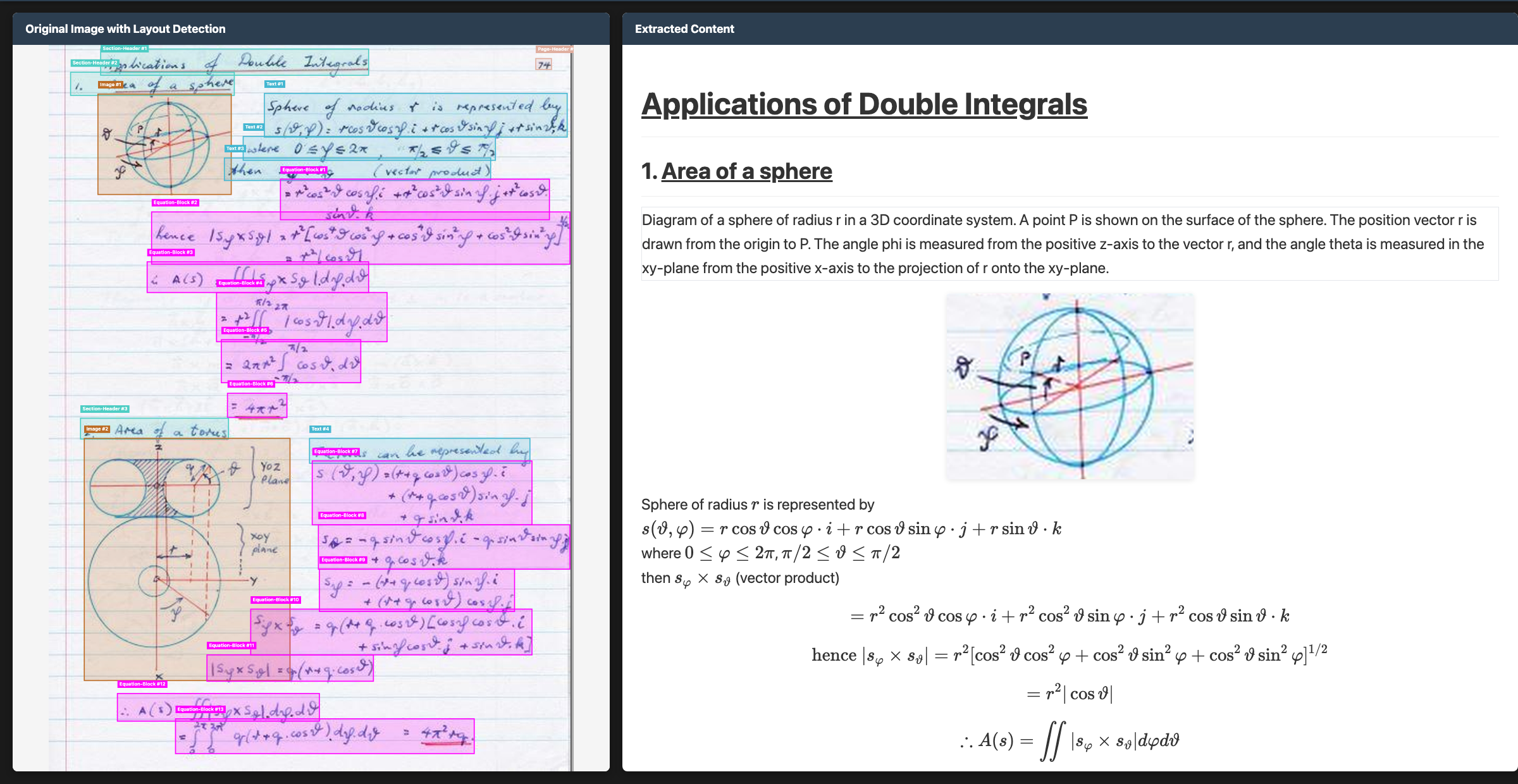
- Convert documents to markdown, html, or json with detailed layout information
- Support for 90+ languages (benchmark below)
- Excellent handwriting support
- Reconstructs forms accurately, including checkboxes
- Strong performance with tables, math, and complex layouts
- Extracts images and diagrams, and adds captions and structured data
- Two inference modes: local (HuggingFace) and remote (vLLM server)
Quickstart
The easiest way to start is with the CLI tools:
pip install chandra-ocr

# With vLLM (recommended, lightweight install)
chandra_vllm
chandra input.pdf ./output

# With HuggingFace (requires torch)
pip install chandra-ocr[hf]
chandra input.pdf ./output --method hf

# Interactive streamlit app
pip install chandra-ocr[app]
chandra_app
Benchmarks
Multilingual performance was a focus for us with Chandra 2. There isn't a good public multilingual OCR benchmark, so we made our own. This tests tables, math, ordering, layout, and text accuracy.
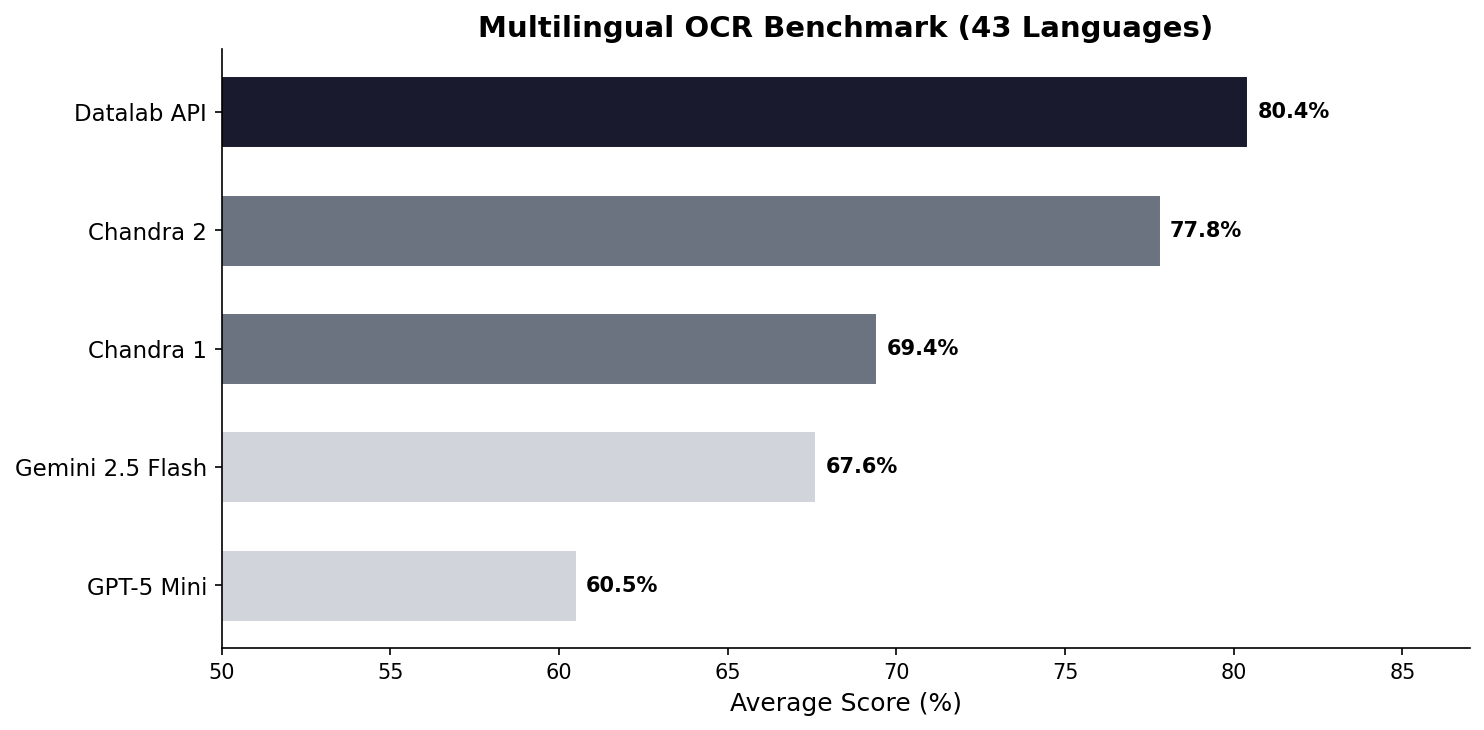
See full scores below. We also have a full 90-language benchmark.
We also benchmarked Chandra 2 with the widely accepted olmocr benchmark:
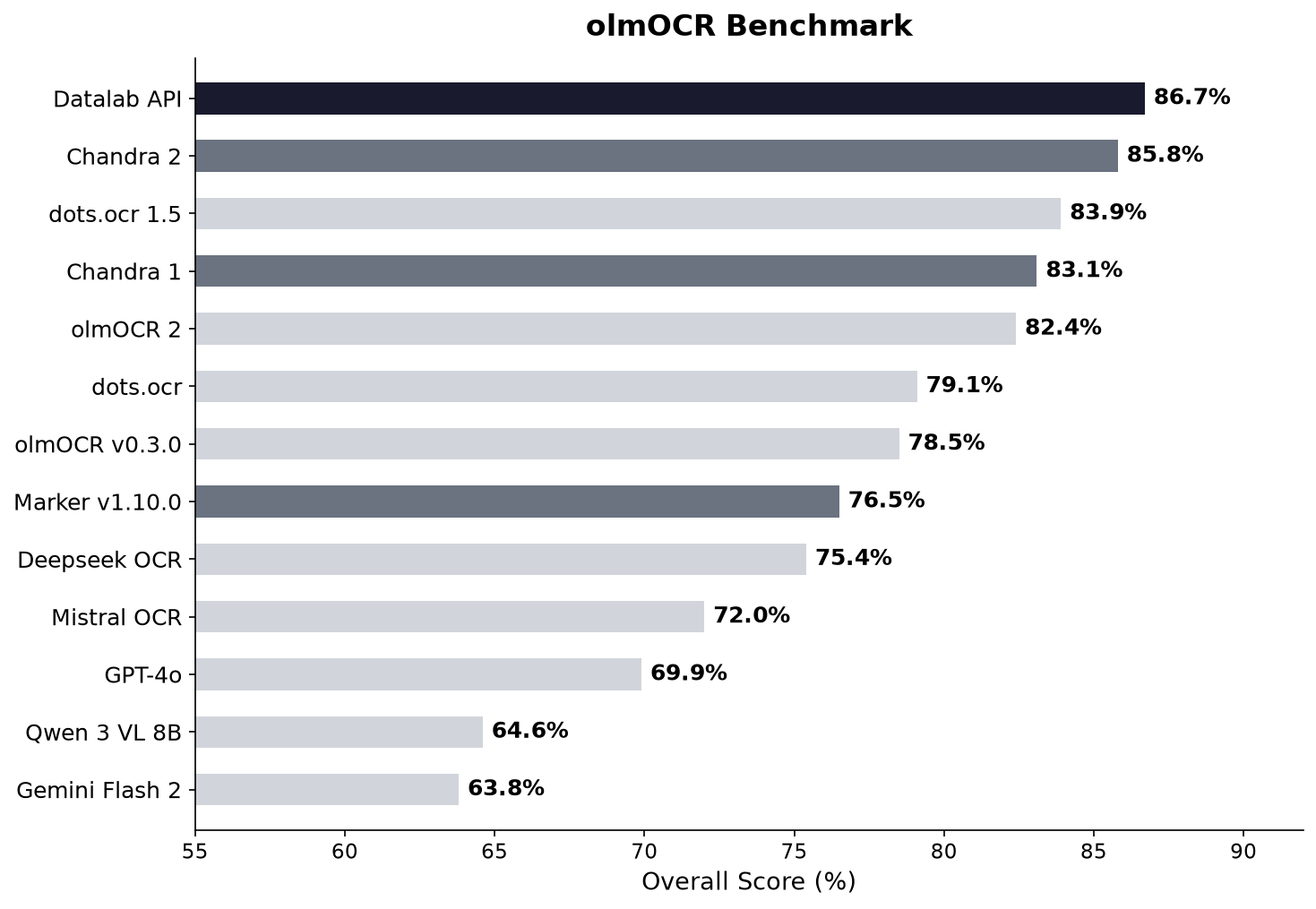
See full scores below.
Examples
| Type | Name | Link |
|---|