OpenCode Memory



A persistent memory system for AI coding agents that enables long-term context retention across sessions using local vector database technology.
Visual Overview
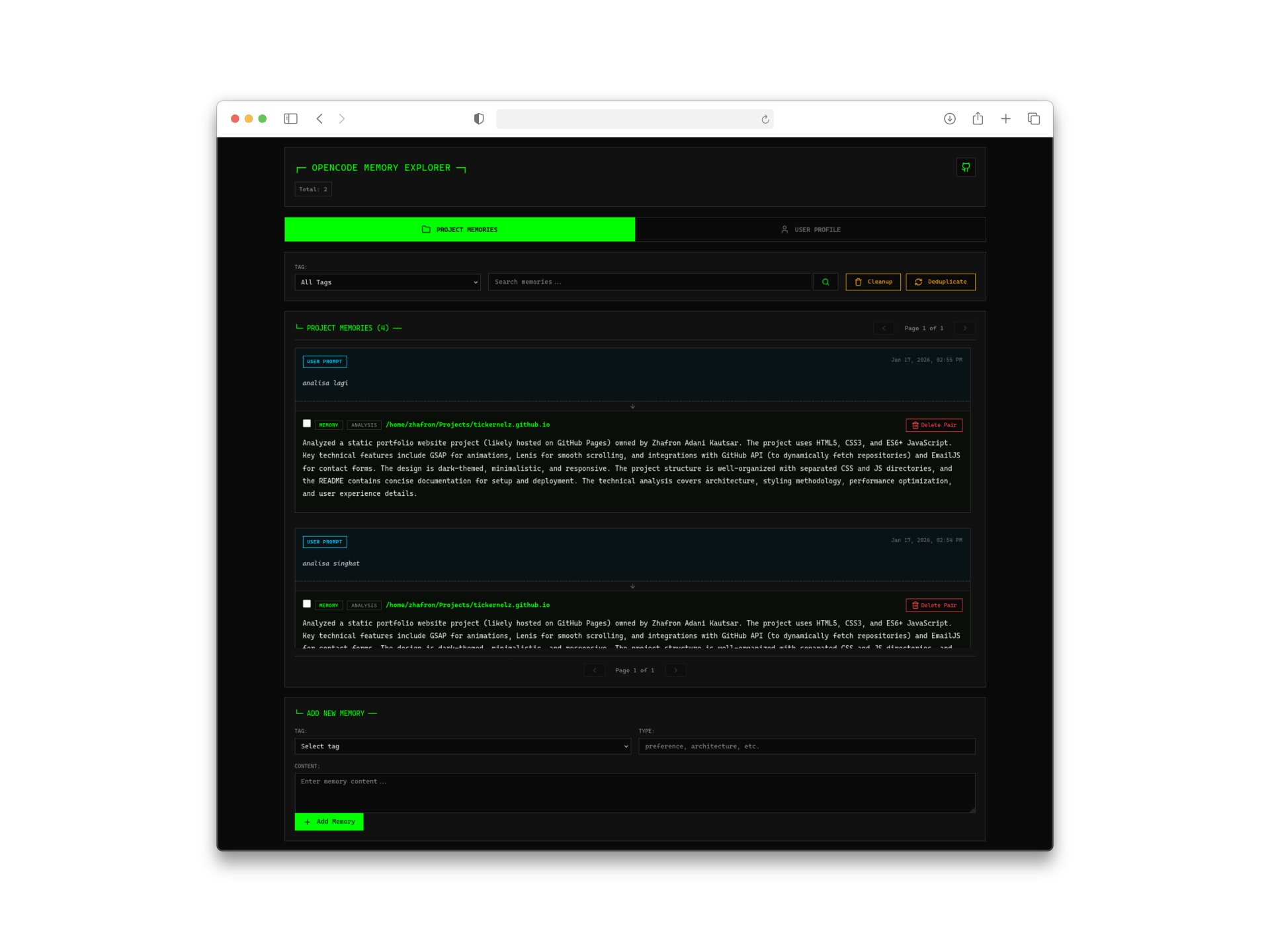
Project Memory Timeline:
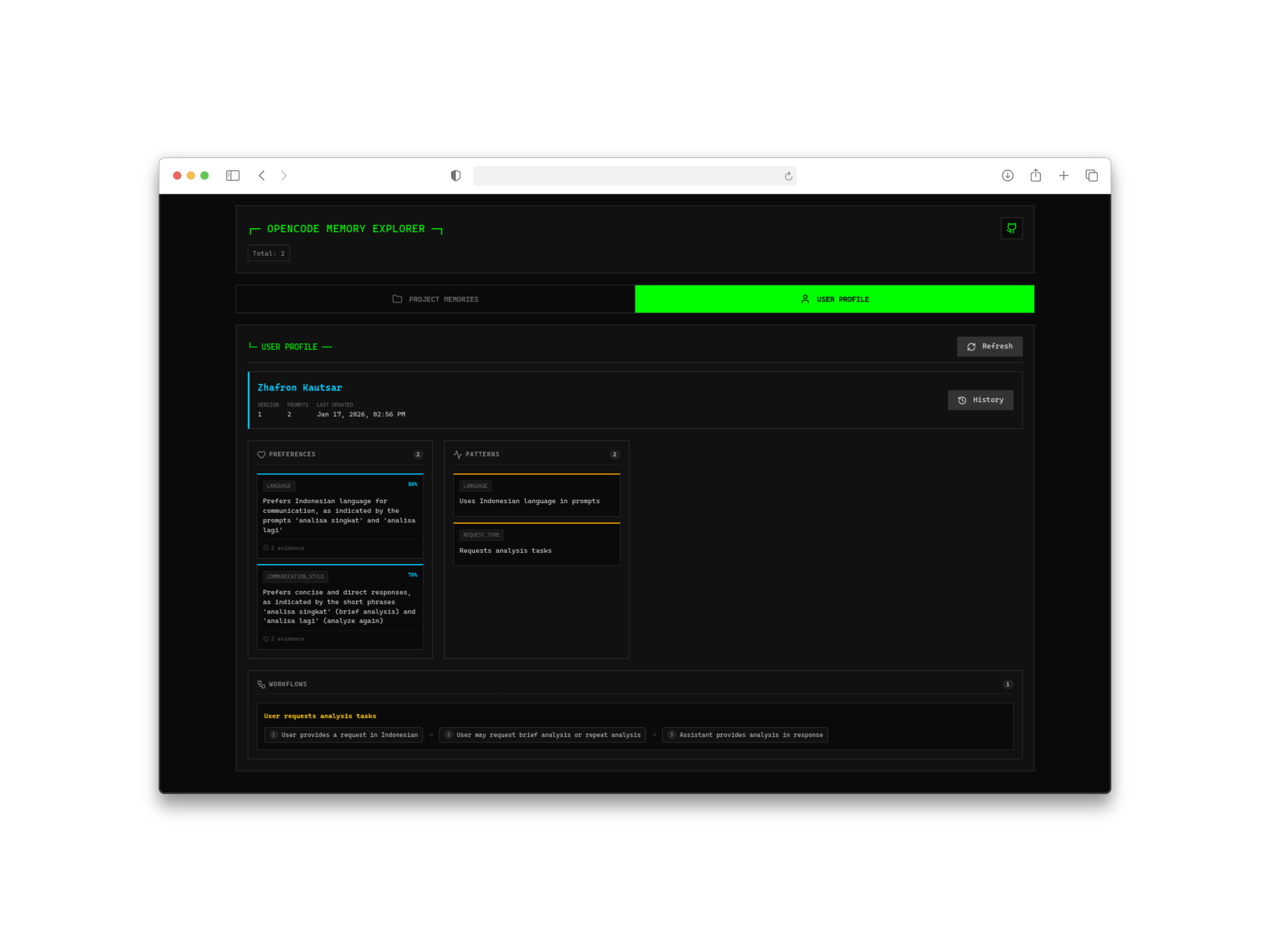
User Profile Viewer:
Core Features
Local vector database with SQLite + USearch-first vector indexing and ExactScan fallback, persistent project memories, automatic user profile learning, unified memory-prompt timeline, full-featured web UI, intelligent prompt-based memory extraction, multi-provider AI support (OpenAI, Anthropic), 12+ local embedding models, smart deduplication, and built-in privacy protection.
Prerequisites
This plugin uses USearch for preferred in-memory vector indexing with automatic ExactScan fallback. No custom SQLite build or browser runtime shim is required.
Recommended runtime:
- Bun
- Standard OpenCode plugin environment
- Internet access on first use if you use the default local embedding model, because the model is downloaded by
@huggingface/transformers. - For source/development installs, run
bun installbefore building or testing. The published plugin package installs its runtime dependencies automatically through OpenCode.
Notes:
- If
USearchis unavailable or fails at runtime, the plugin automatically falls back to exact vector scanning. - SQLite remains the source of truth; search indexes are rebuilt from SQLite data when needed.
- Auto-capture and user profile learning require an AI provider that can return structured/tool-call output. Memory search/add/list still work without auto-capture provider configuration.
Getting Started
Add to your OpenCode configuration at ~/.config/opencode/opencode.json:
{
  "plugin": ["opencode-mem"],
}
The plugin downloads automatically on next startup.
Usage Examples
memory({ mode: "add", content: "Project uses microservices architecture" });
memory({ mode: "search", query: "architecture decisions" });
memory({ mode: "search", query: "architecture decisions", scope: "all-projects" });
memory({ mode: "profile" });
memory({ mode: "list", limit: 10 });
Access the web interface at http://127.0.0.1:4747 for visual memory browsing and management.
Configuration Essentials
Configure at ~/.config/opencode/opencode-mem.jsonc:
The plugin creates a full commented template at this path on first startup. This trimmed example shows the most common settings:
{
  "storagePath": "~/.opencode-mem/data",
  "userEmailOverride": "user@example.com",
  "userNameOverride": "John Doe",
  "embeddingModel": "Xenova/nomic-embed-text-v1",
  // Optional OpenAI-compatible embedding endpoint:
  // "embeddingApiUrl": "https://api.openai.com/v1",
  // "embeddingApiKey": "env://OPENAI_API_KEY",
  // "embeddingModel": "text-embedding-3-small",

  "memory": {
    "defaultScope": "project",
  },
  "webServerEnabled": true,
  "webServerPort": 4747,

  "autoCaptureEnabled": true,
  "autoCaptureLanguage": "auto",

  "opencodeProvider": "anthropic",
  "opencodeModel": "claude-haiku-4-5-20251001",

  // Manual fallback if you do not use opencodeProvider:
  // "memoryProvider": "openai-chat",
  // "memoryModel": "gpt-4o-mini",
  // "memoryApiUrl": "https://api.openai.com/v1",
  // "memoryApiKey": "env://OPENAI_API_KEY",

  "showAutoCaptureToasts": true,
  "showUserProfileToasts": true,
  "showErrorToasts": true,

  "userProfileAnalysisInterval": 10,
  "maxMemories": 10,

  "compaction": {
    "enabled": true,