code-review-graph
Stop burning tokens. Start reviewing smarter.
English | 简体中文 | 日本語 | 한국어 | हिन्दी







Usage · Commands · FAQ · Troubleshooting · GitHub Action · Reproducing the benchmarks · Roadmap
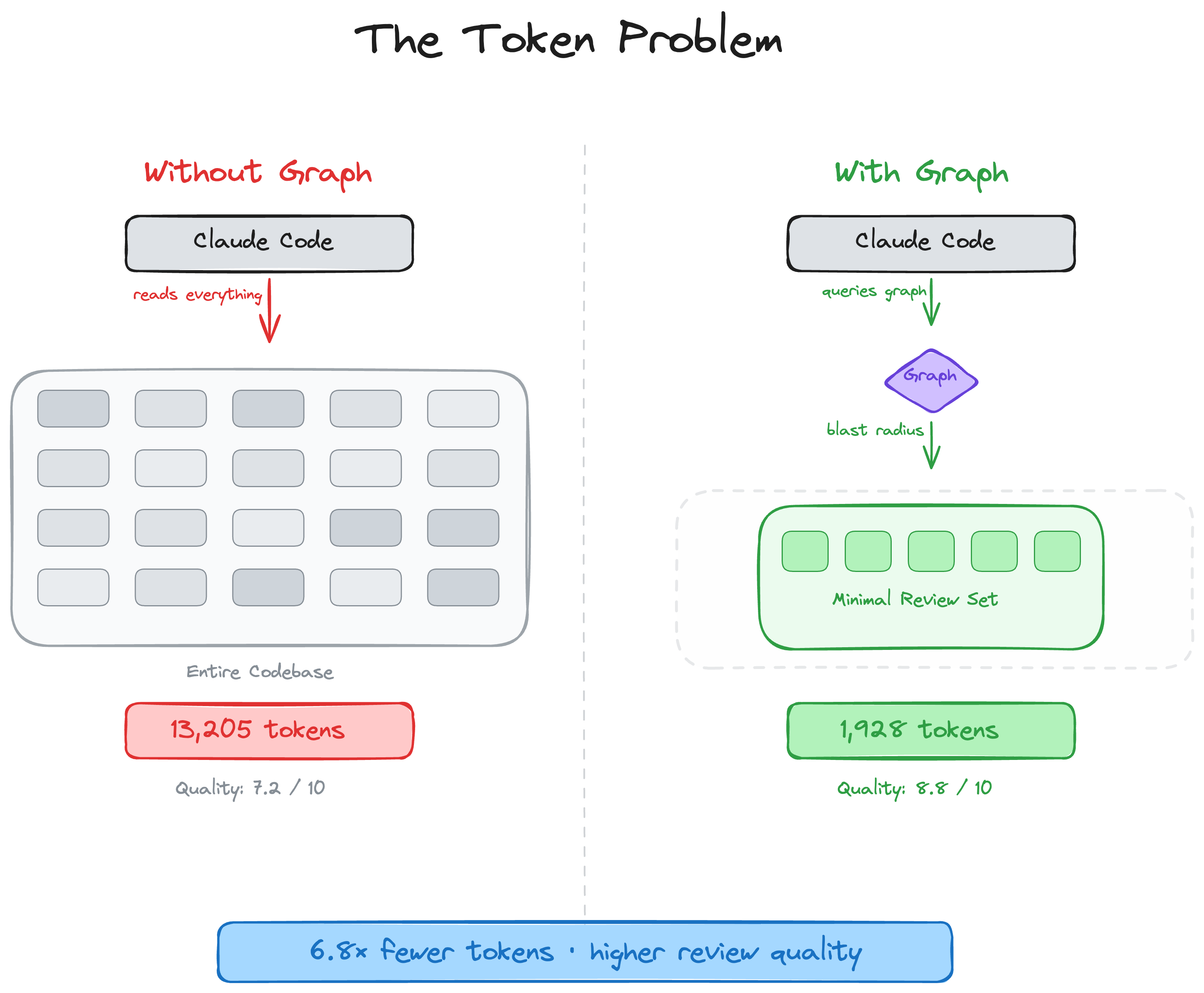
AI coding tools can end up re-reading large parts of your codebase on review tasks. code-review-graph fixes that. It builds a structural map of your code with Tree-sitter, tracks changes incrementally, and gives your AI assistant precise context via MCP so it reads only what matters.
Quick Start
pip install code-review-graph                     # or: pipx install code-review-graph
code-review-graph install          # auto-detects and configures all supported platforms
code-review-graph build            # parse your codebase
One command sets up everything. install detects which AI coding tools you have, writes the correct MCP configuration for each one, installs platform-native hooks/skills where supported, and injects graph-aware instructions into your platform rules. It auto-detects whether you installed via uvx or pip/pipx and generates the right config. Restart your editor/tool after installing.
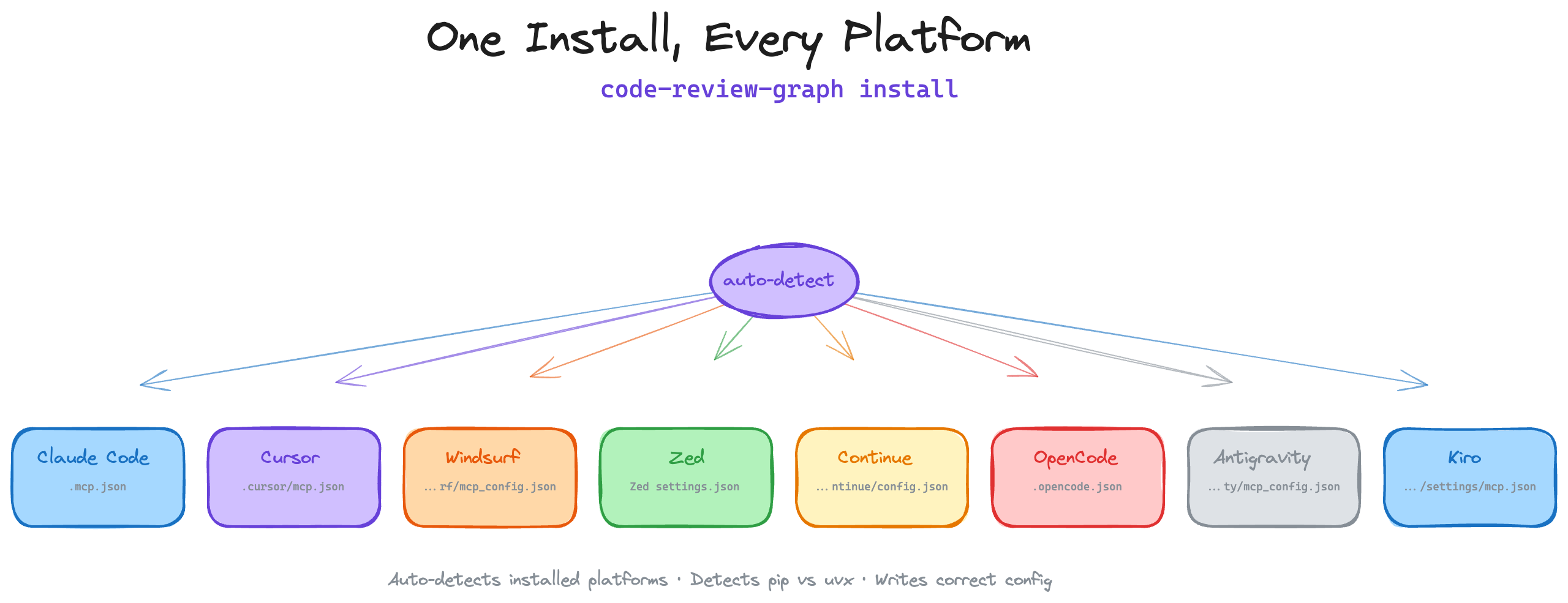
To target a specific platform:
code-review-graph install --platform codex       # configure only Codex
code-review-graph install --platform cursor      # configure only Cursor
code-review-graph install --platform claude-code  # configure only Claude Code
code-review-graph install --platform gemini-cli   # configure only G