abtop
Like btop, but for your AI coding agents.
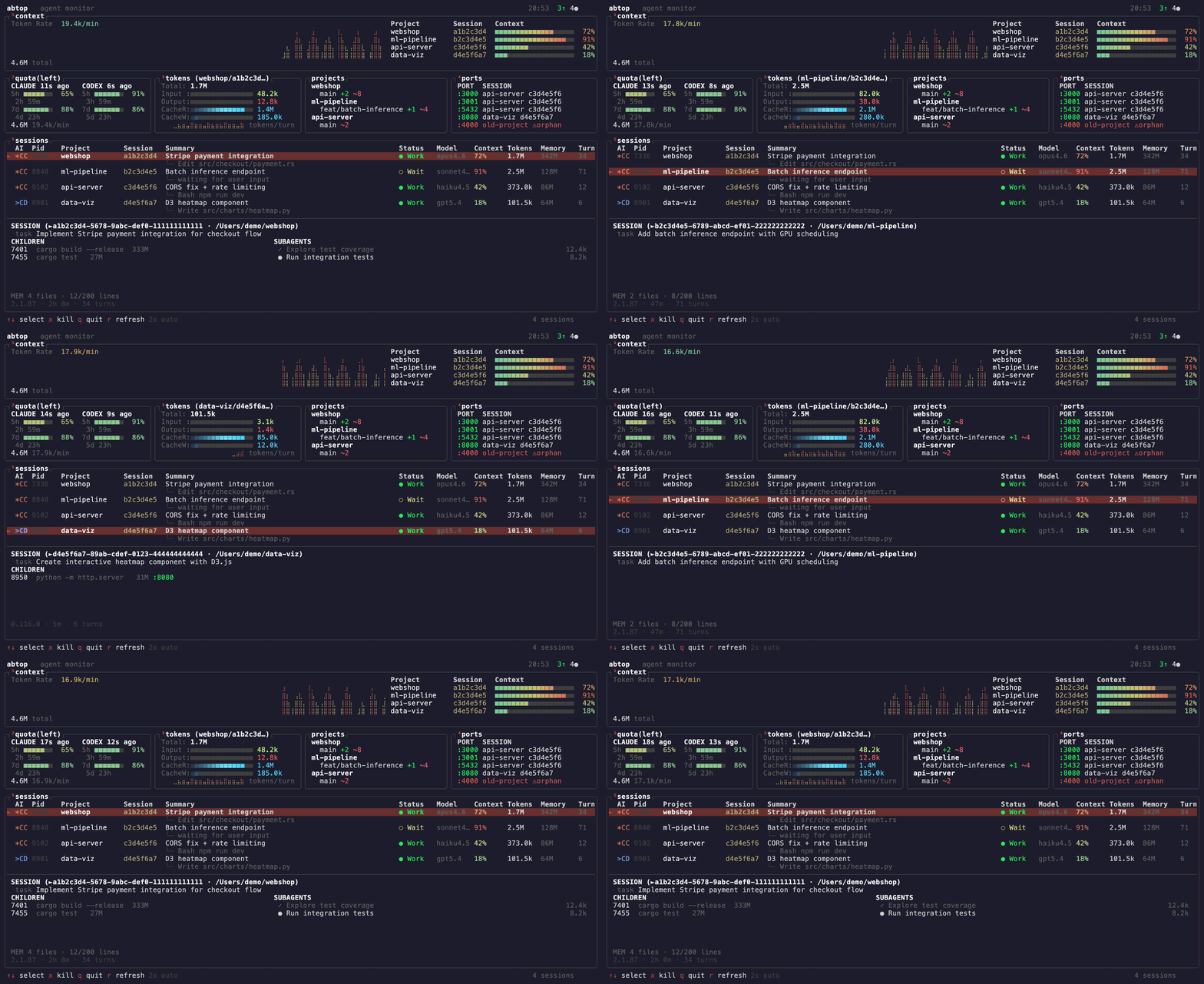
See every Claude Code, Codex CLI, and OpenCode session at a glance — token usage, context window %, rate limits, child processes, open ports, and more. Claude Code, Codex CLI, and OpenCode sessions are discovered from local process/file state, so multiple active profiles are supported across macOS, Linux, and Windows.
Why
- Running 3+ agents across projects? See them all in one screen.
- Hitting rate limits? Watch your quota in real-time.
- Agent spawned a server and forgot to kill it? Orphan port detection.
- Context window filling up? Per-session % bars with warnings.
All read-only. No API keys. No auth.
Install
macOS / Linux
[!IMPORTANT] On Linux, ensure
sqlite3is installed to enable monitoring for OpenCode sessions.
curl --proto '=https' --tlsv1.2 -LsSf https://github.com/graykode/abtop/releases/latest/download/abtop-installer.sh | sh
Cargo
cargo install abtop
Windows
Native support — no WSL required. Uses sysinfo for process info and host CPU/MEM metrics, and netstat -ano for listening ports. Windows has no load average, so LOAD is reported as 0. OpenCode session discovery additionally requires the sqlite3 CLI (winget install SQLite.SQLite); without it abtop prints a one-time warning to stderr.
powershell -c "irm https://github.com/graykode/abtop/releases/latest/download/abtop-installer.ps1 | iex"
Or cargo install abtop from any terminal with Git in PATH. Claude Code config is resolved automatically from %USERPROFILE%\.claude.
Other
Pre-built binaries for all platforms are available on the GitHub Releases page.
Usage
abtop                    # Launch TUI
abtop --once             # Print snapshot and exit
abtop --json             # Print one JSON snapshot and exit (for scripts/tools)
abtop --setup            # Install rate limit collection hook
abtop --theme dracula    # Launch with a specific theme
abtop --mouse            # Enable mouse click/scroll navigation
Recommended terminal size: 120x40 or larger. Minimum 80x24 — panels hide gracefully when small.
Mouse capture is off by default so terminal drag selection and copy keep working. Launch with --mouse if you prefer click targets and wheel navigation.
Terminal Jump
Press Enter to focus the terminal running the selected agent. abtop supports cmux, tmux, and iTerm2 on macOS.
tmux new -s work
# pane 0: abtop
# pane 1: claude (project A)
# pane 2: claude (project B)
# → Enter on a session in abtop jumps to its pane
Supported Agents
| Feature | Claude Code | Codex CLI | OpenCode |
|---|---|---|---|
| Session Discovery | ✅ | ✅ | ✅ |
| Token Tracking | ✅ | ✅ | ✅ |
| Context Window % | ✅ | ✅ | ❌ |
| Status Detection | ✅ | ✅ | ✅ |
| Current Task | ✅ | ✅ | ❌ |
| Rate Limit | ✅ | ✅ | ❌ |
| Git Status | ✅ | ✅ | ✅ |
| Children / Ports | ✅ | ✅ | ✅ |
| Subagents | ✅ | ❌ | ❌ |
| Memory Status | ✅ | ❌ | ❌ |
OpenCode support reads the local SQLite database at ~/.local/share/opencode/opencode.db (also the default location on Windows; %LOCALAPPDATA%\opencode and %APPDATA%\opencode are probed as fallbacks) and requires sqlite3 in PATH (on Windows: winget install SQLite.SQLite).
Themes
12 built-in themes, including 4 colorblind-friendly options (high-contrast, protanopia, deuteranopia, tritanopia). Press t to cycle at runtime, or launch with --theme <name>. Your choice is saved to `~/.config/abto