AOS Dashboard

The dashboard now lives in Fenceline. Same live view of your Claude Code sessions, plus plain-English fences that warn or block when an agent strays outside the area you meant, a map of each agent's route through the repo, and published eval results. Its
make installremoves this plugin first, so switching over is one command.
A read-only live monitor for Claude Code. It shows what your sessions and subagents are doing (agents, tasks, tokens, cost, file conflicts, alerts) as a streaming graph in the browser, a terminal view (aos-dash), an MCP server and a status line. It never starts, stops or steers agents. Local-only, zero dependencies.
Looking for orchestration (planning goals, launching and managing workers)? That is a different, separate and experimental project: aos-orchestrator, opt-in. This dashboard can display its goals, nothing more.
| Which piece do I want? | Repo | What it is |
|---|---|---|
| Watch my Claude Code agents live | this repo (dashboard) | Read-only monitor. Start here. |
| A standard for observable agent state | aos-1-spec | Open spec: heartbeat, plain-file state, event log. |
| Have agents planned and run for me | aos-orchestrator | Experimental engine that launches real claude workers. |
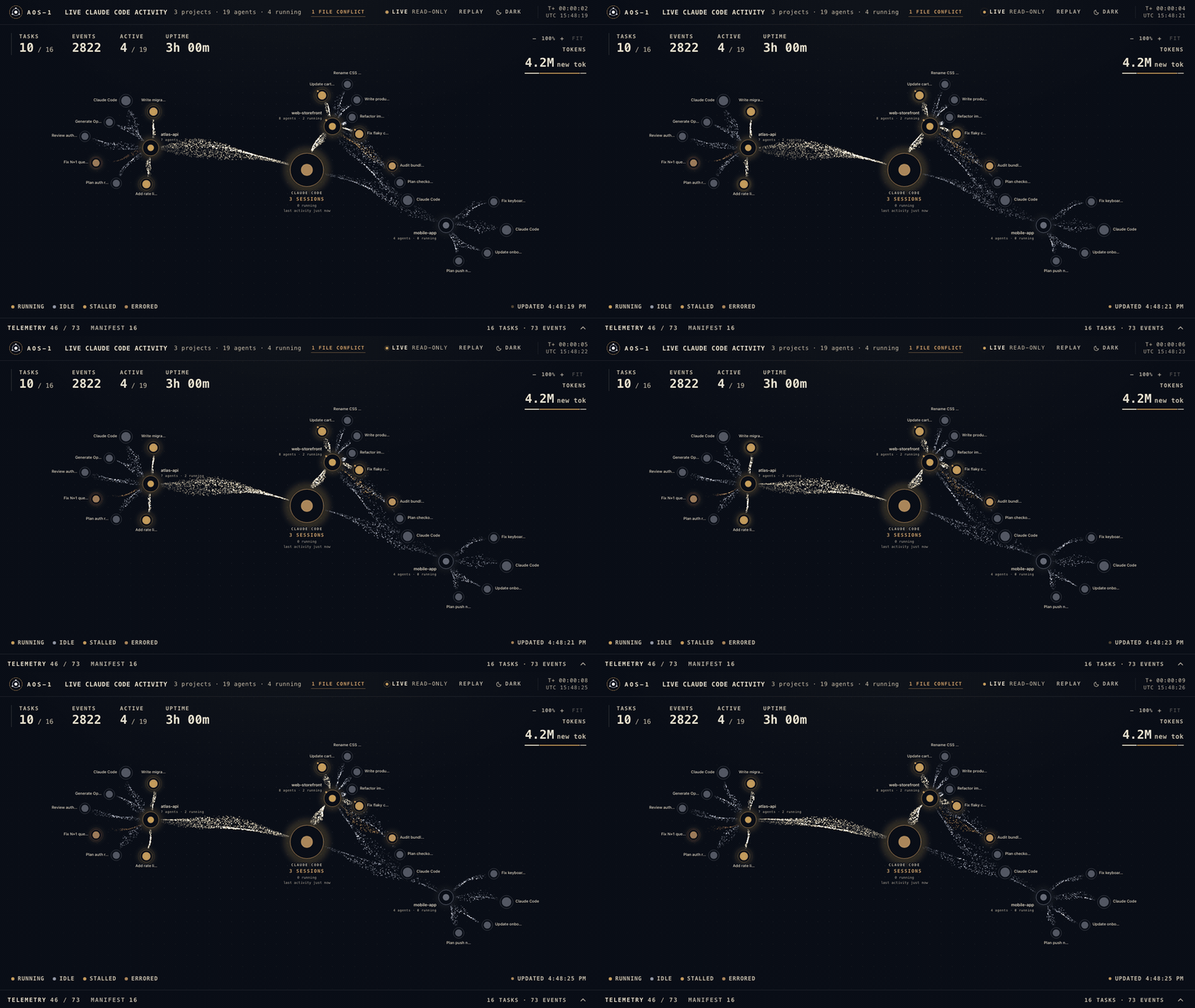
The live dashboard on a synthetic demo dataset. More screenshots.
Install the dashboard
Needs Node 18+ and the Claude Code CLI (claude on your PATH; the installer checks and stops with a message if not). No dependencies to install. On Windows it also needs the full Git for Windows (its bash runs the recipes; MinGit has none) and GNU make (winget install ezwinports.make); make then works the same from Git Bash, cmd and PowerShell (except make test: the test suites still need Linux or macOS).
git clone https://github.com/tomtomsatnav/agent-orchestration-standard && cd agent-orchestration-standard
make install        # ~4 s. Builds, installs the local plugin, links `aos-dash`, starts the monitor
make doctor         # checks the whole setup and tells you what to fix
make                # lists every target
make install changes only: the Claude Code plugin (user scope, via claude plugin install), a symlink ~/.local/bin/aos-dash (on Windows, two launcher scripts there instead: aos-dash for Git Bash and aos-dash.cmd for cmd and PowerShell; add that folder to your PATH if aos-dash is not found), a small notifier app under ~/.claude/plugins/data/, and a monitor process on port 4318 (make install PORT=4328 uses another port). make uninstall reverses it. make stop and make uninstall stop only the monitor on PORT (4318 unless you pass PORT=). make doctor shows "no hook log yet" until you start a Claude Code session; that is normal.
Then start a new Claude Code session and open http://127.0.0.1:4318 (the page is empty until a session sends events; aos-dash is the same view in the terminal). The graph's Streams button (or Q) cycles Full / Quiet / Lines; Lines draws no particles and stops per-frame redraws, for the lowest overhead (measured). Local-only, read-only; hooks never log prompts, file contents or tool output, but do log event and tool names, working-folder and edited-file paths, transcript paths and a redacted short task description (full list: plugin/README.md). Status: pers