
Agent Orchestrator
Plan, run, and supervise coding agents from one place.







Give every coding task its own agent, workspace, and feedback loop.
Plan and delegate larger outcomes with a project-aware orchestrator.
Follow every worker, pull request, CI run, and review in a live Kanban.
Download AO • Documentation • Releases • Contributing • Discord
English · 简体中文 · 日本語 · 한국어 · Español · Français · Deutsch · Português (Brasil)
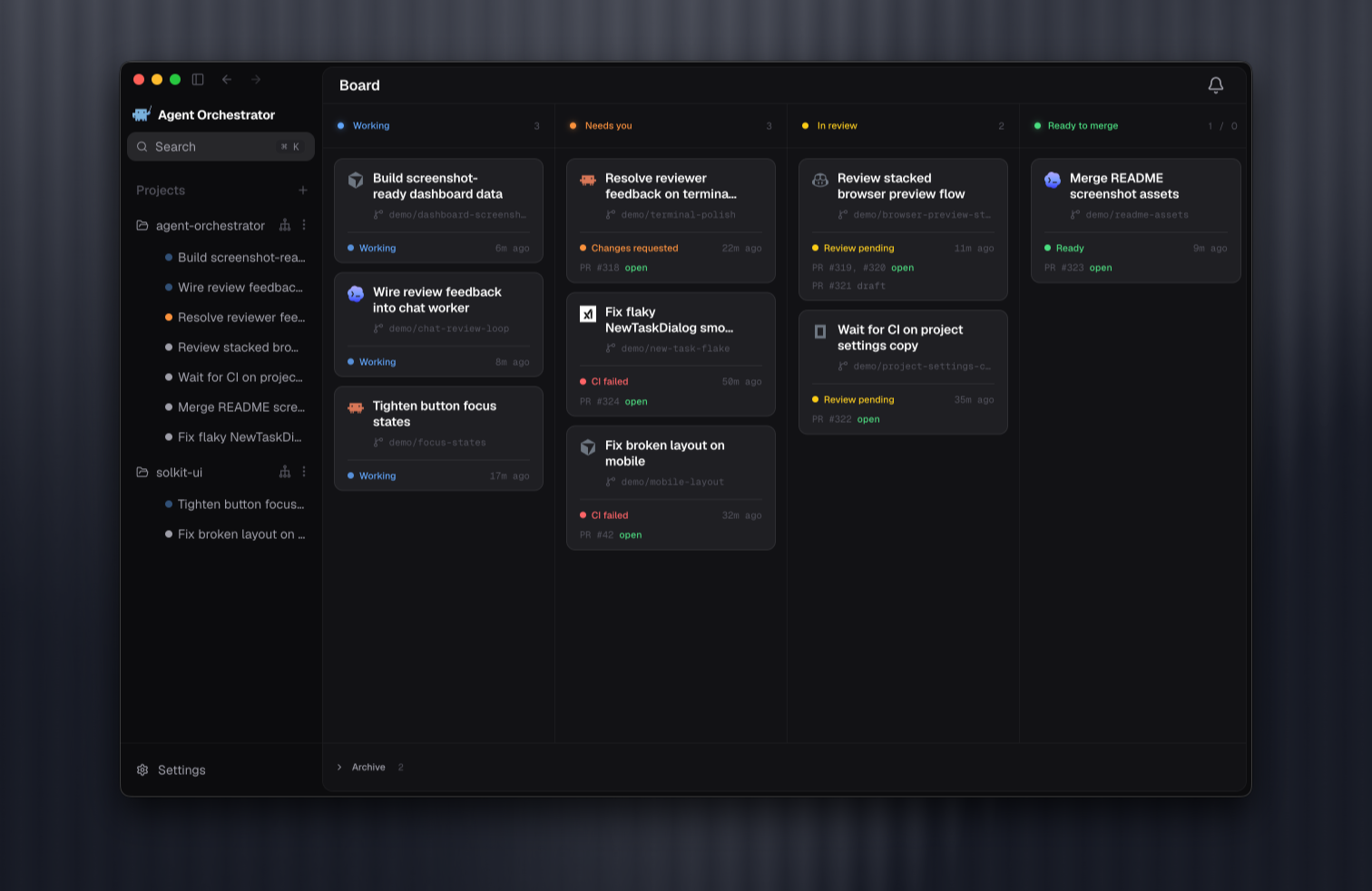
A workspace for agent-driven development
One coding agent can handle a task. Running several across a project creates a different job: deciding what matters, splitting work cleanly, giving each agent the right context, preventing branch collisions, and following every change through review and merge.
AO is a local desktop workspace built for that job. Add a repository and create a worker session with the coding agent, model, and interface that fit the task. For Git-backed work, AO gives the worker its own branch and worktree. The task, conversation, terminal, changed files, browser preview, pull request, CI, and review state stay attached to that session from start to finish.
Behind the desktop app, AO's local daemon watches agent activity and source-control state. The result is a shared, live view of the project instead of a collection of disconnected terminals, branches, and browser tabs.
Install
Download the latest AO desktop app for your platform. AO checks for updates automatically.
| Platform | Download |
|---|---|
| macOS (Apple silicon) | Download |
| macOS (Intel) | Download |
| Windows | Download |
| Linux (AppImage) | [Download](https://git |